Build the routine once, use it every day
A routine is a group of steps with a time and the days it applies, like Morning, 7:00–8:30, every day. Each step can have a picture, timer, checklist, voice message and reward.
Start from a ready-made template or from scratch, and make changes when everyday life changes. Your child sees the change right away.
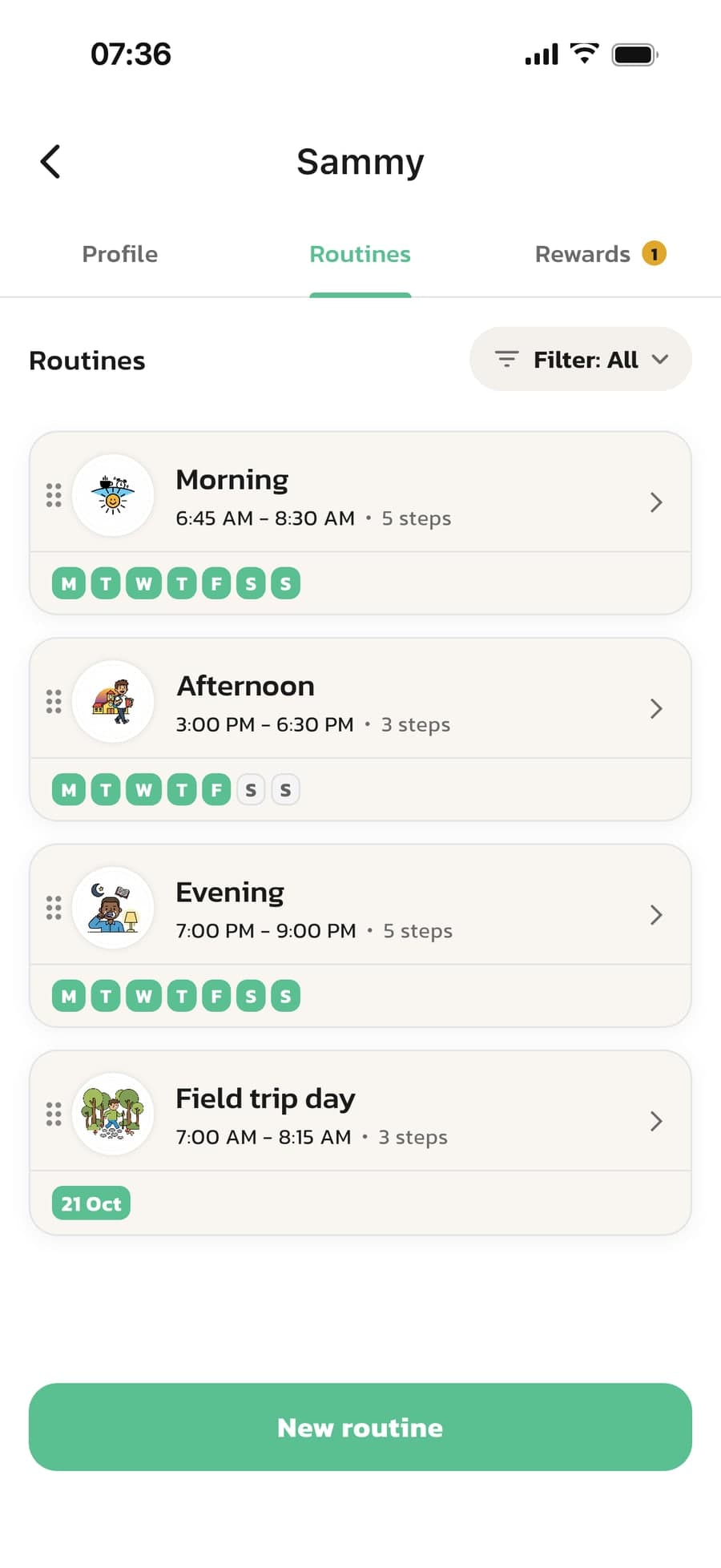
How to build a routine
From template to finished routine in a couple of minutes, and just as easy to change later.
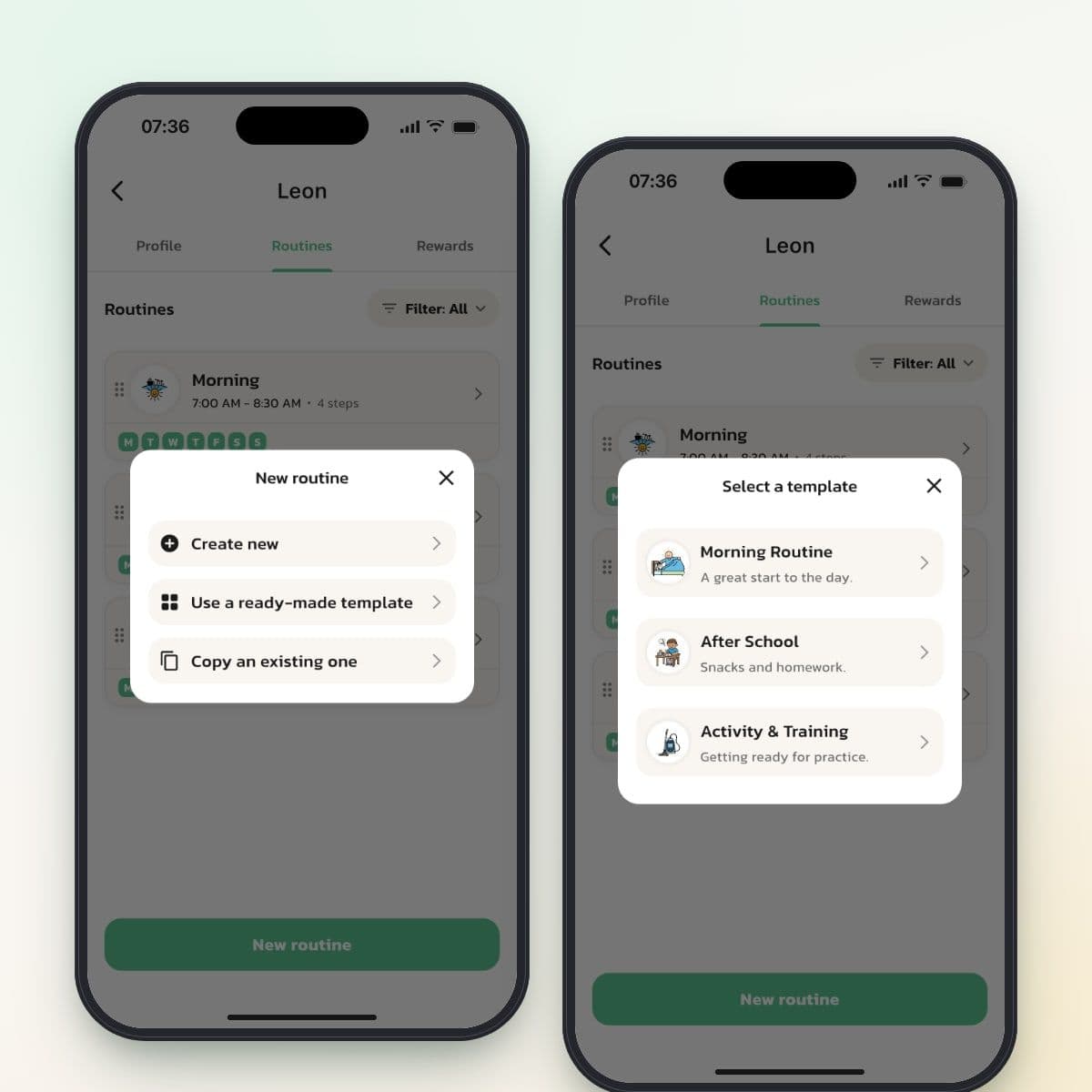
Start with a template or from scratch
Tap New routine on your child's Routines tab. Choose Create new, Use a ready-made template or Copy an existing one. The templates are picked based on your child's age, and you get three suggestions.
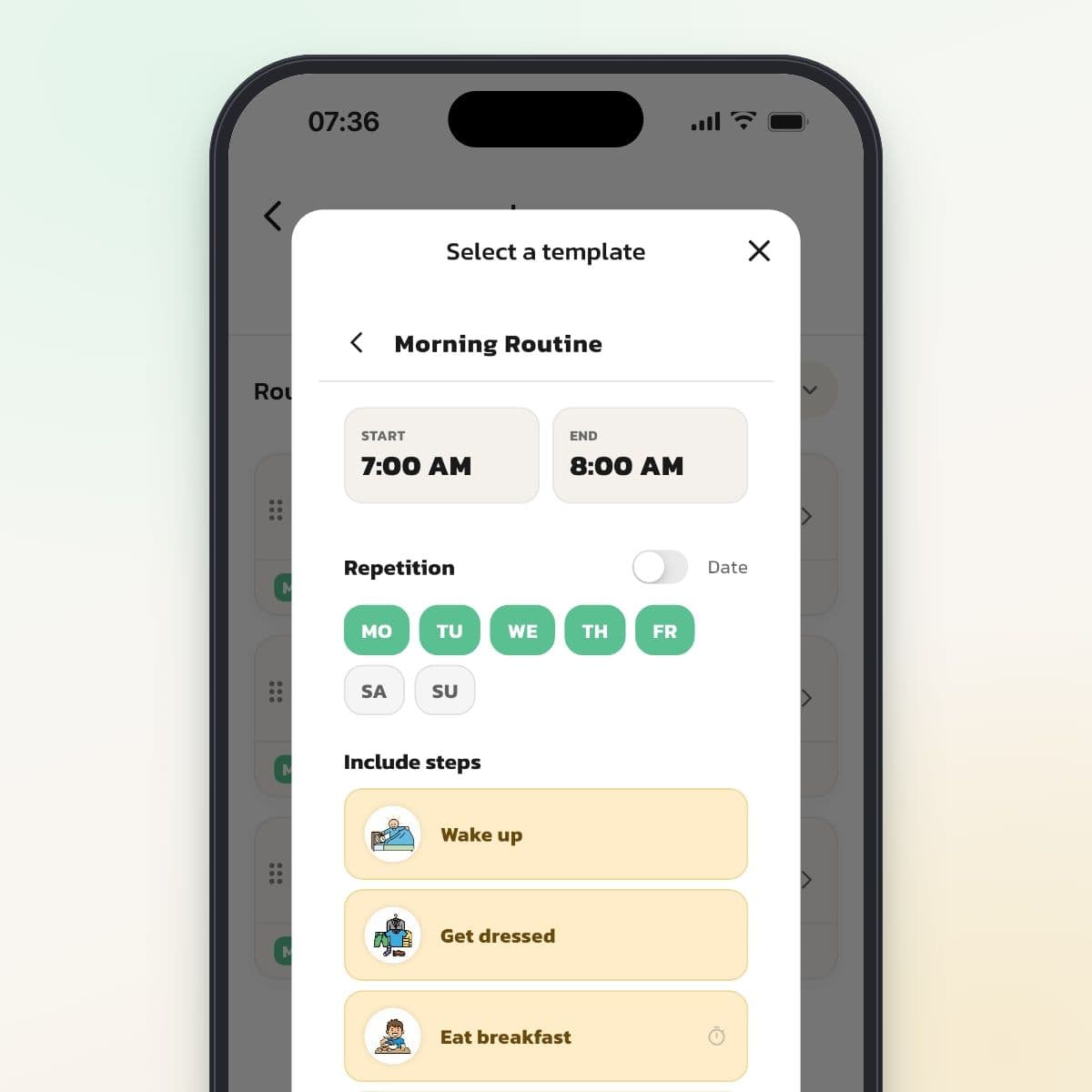
Make changes before you create it
Change the name and times, choose weekdays or a date and uncheck any steps that don't fit. Tap Create this routine and the routine is there for your child right away, with pictures and timers where the template has them.
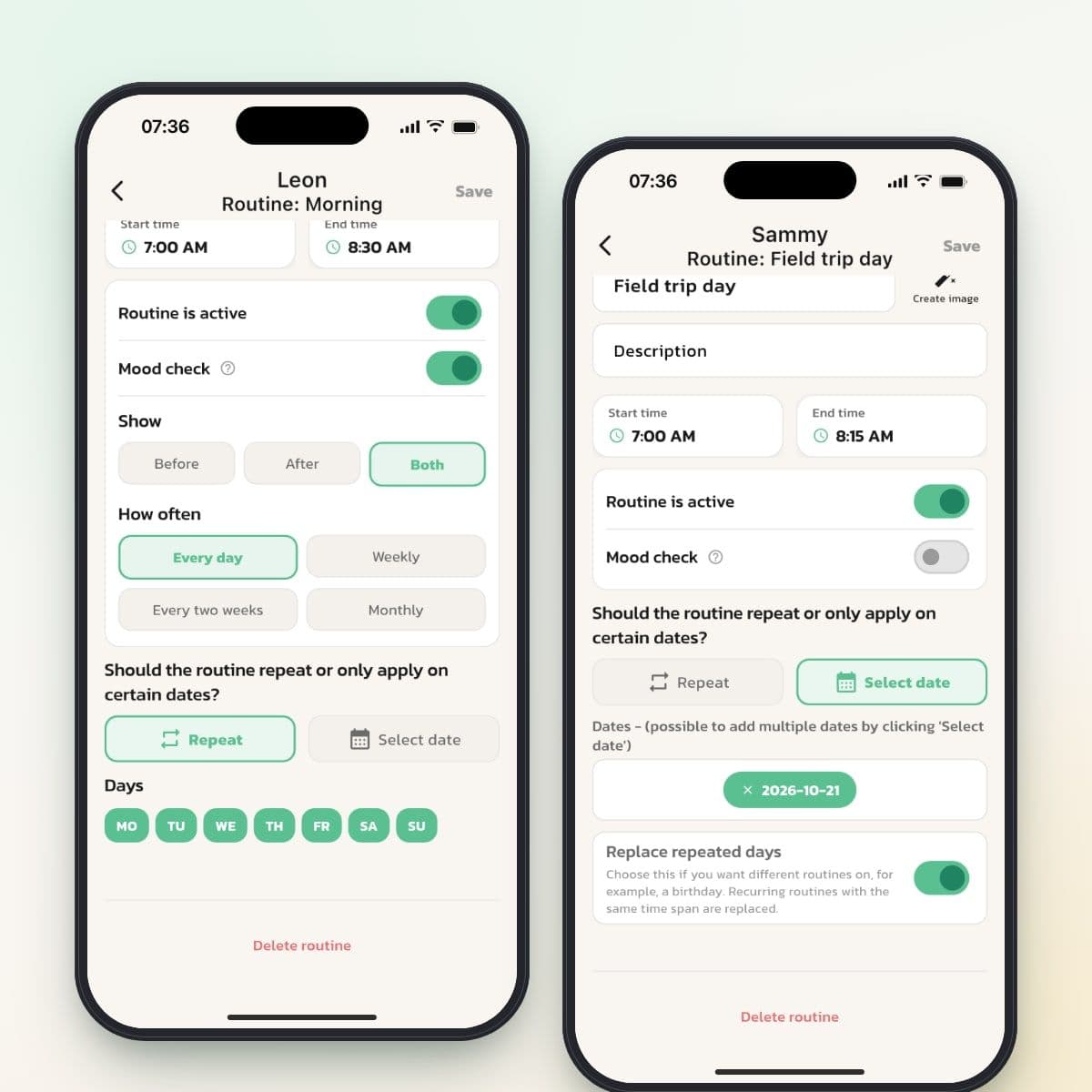
Every week or only on certain dates
A routine repeats on the weekdays you choose, or applies only on the dates you add. Turn on Replace repeated days, and a date routine, like a field trip day, takes over from the regular routine at the same time.
Say what applies today
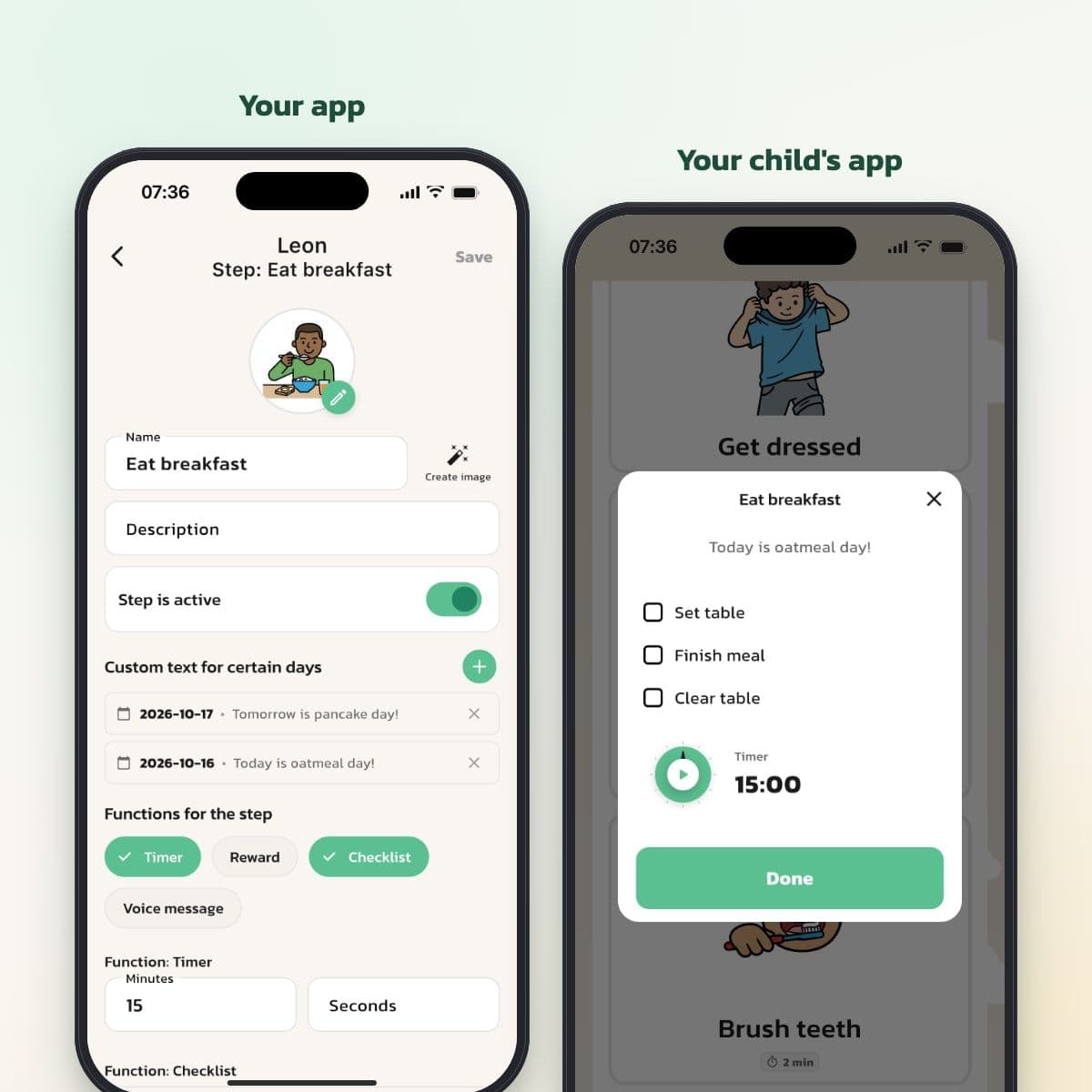
Give a step a text for a specific date, like "Today is oatmeal day!" On that day, the text is shown instead of the step's usual description, both for your child and in your overview.
Small sub-steps within a step
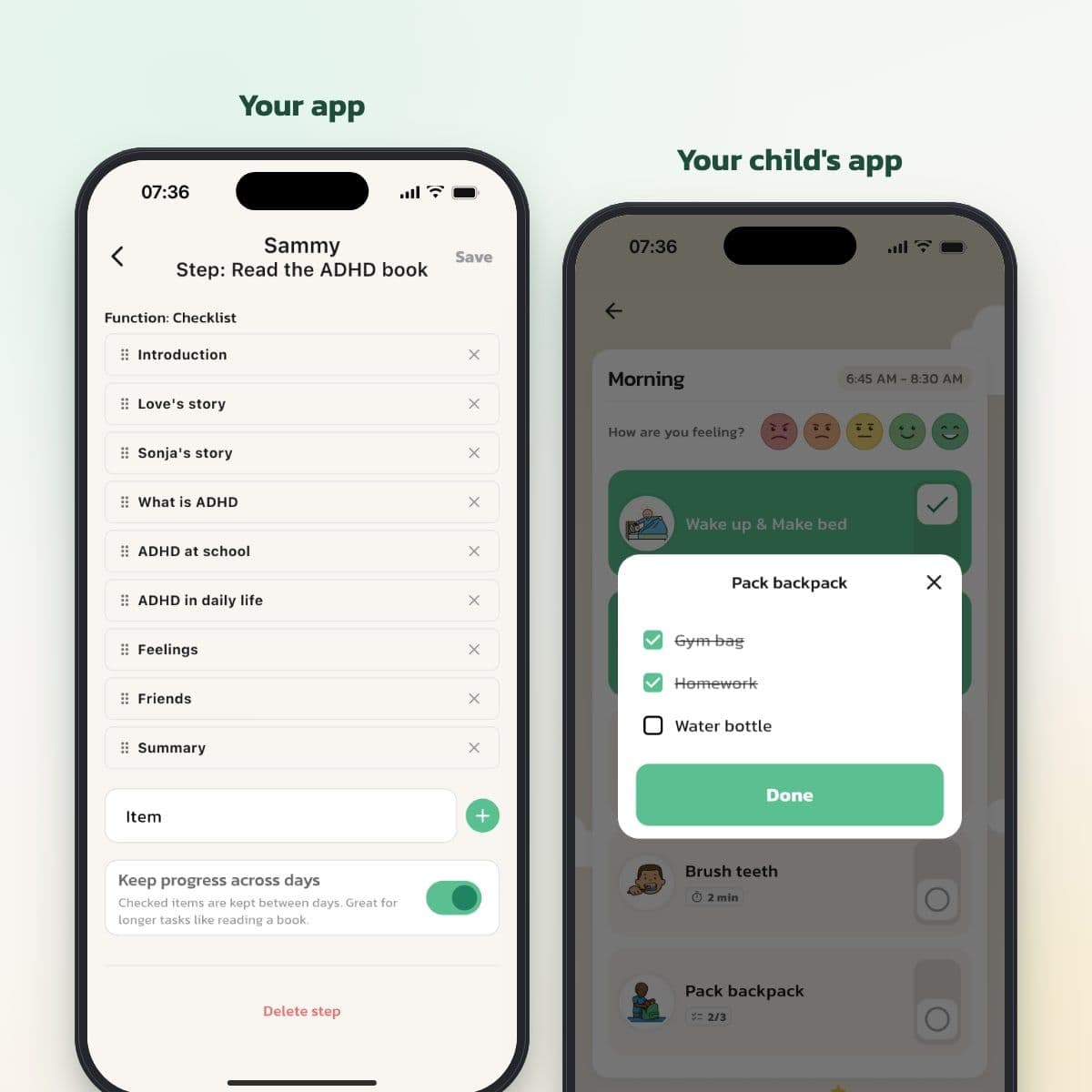
Give a step a checklist, like Gym bag, Homework and Water bottle for the backpack. Your child checks off one item at a time. With Keep progress across days, the checks stay until the next day, which works well for a book read chapter by chapter.
Bring in steps you've already made
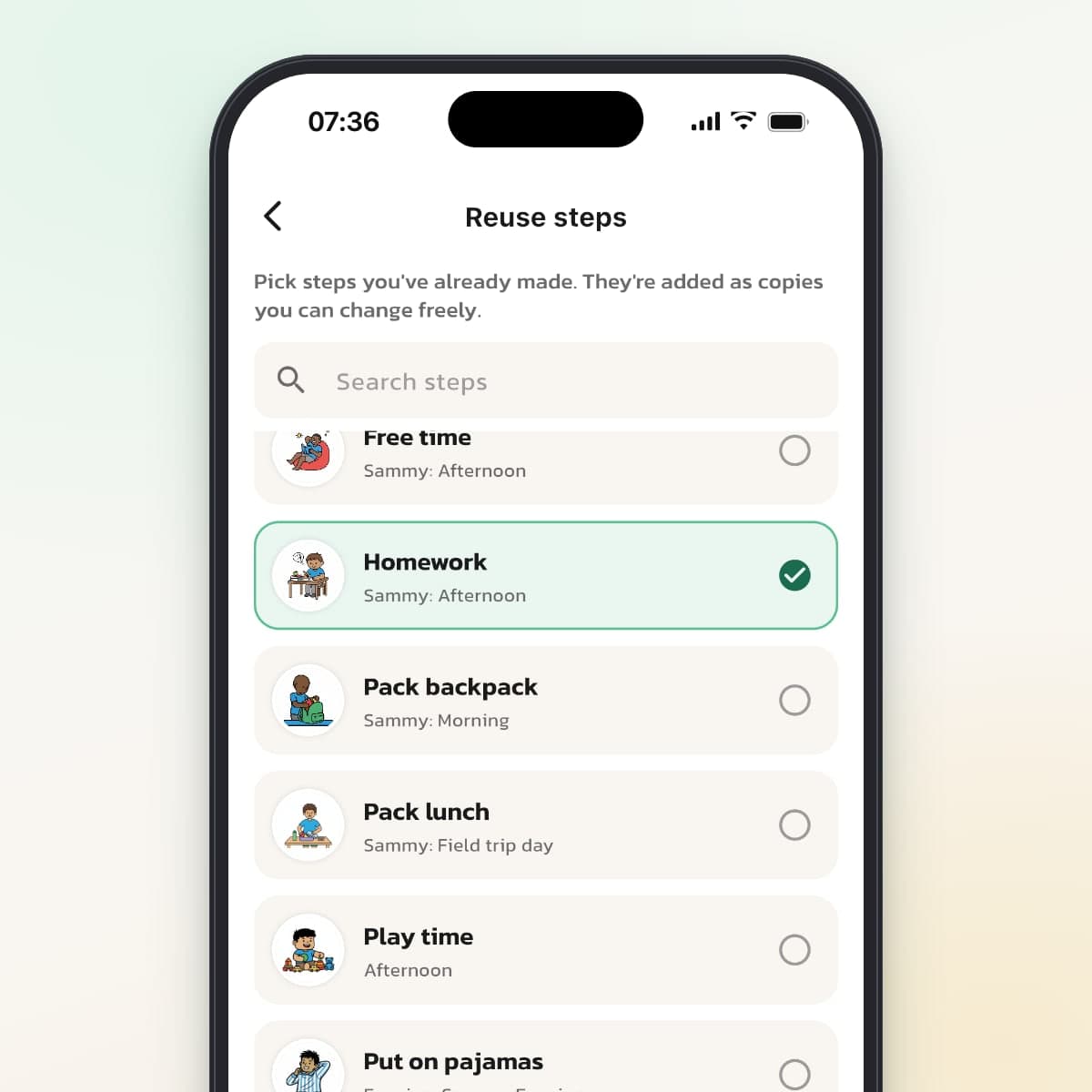
Tap Reuse steps to bring in steps from your child's other routines or from a sibling. Search, pick several and add them as copies, with picture, timer, checklist and voice message.
Routines, steps and functions
A routine has a name, a picture, a start and end time and the days it applies. Inside the routine, the steps are in the order your child should do them. Press and hold, then drag, to change the order of routines, steps and checklist items.
Each step has a name, a picture and a description. Under Functions for the step, you add what that step needs:
- Timer, for steps that take a set amount of time.
- Reward, an amount, screen time or a reward of your own.
- Checklist, for sub-steps that are checked off one at a time.
- Voice message, your own voice, played when your child opens the step.
Three ways to create a routine
Create new
An empty form. Fill in the name, times and days, save, and then add the steps. If you can't find a picture, Create image makes one based on the name.
Use a ready-made template
Three suggestions that suit your child's age, for a school-age child for example Morning Routine, After School and Activity & Training. The template has pictures and timers where they fit. You change the name, times and days and choose which steps to include.
Copy an existing one
Copy a routine from a sibling or from the same child, with times, days and steps. The history isn't copied. To copy a whole child, press and hold the child's card on the home screen.
Weekdays or dates
- Repeat: the routine applies on the weekdays you choose, every week.
- Select date: the routine applies only on the dates you add. Good for field trips, school holidays and birthdays.
- Replace repeated days: on the chosen dates, regular routines at the same time are hidden.
- Routine is active: turn a routine off for a while without deleting it.
Checklists that help without adding stress
A checklist breaks a big step into small ones, like packing the backpack. Your child sees right on the step how many items are done, for example 2/3.
Your child can tap Done even if not every item is checked off. Without Keep progress across days, the list starts over every day. With it turned on, the checks stay from one day to the next.
Tips for building routines
- Start with one routine, often the morning, and add more once it's working.
- Keep steps short and concrete: Brush teeth, not Get ready.
- Use the same picture for the same step in every routine, so your child recognizes it.
- Let your child help choose the pictures and the order.
- Change a little at a time rather than everything at once.
Limitations to know about
- A routine can't run every other week or once a month. Add the dates with Select date instead.
- A routine applies either on weekdays or on chosen dates, not both.
- Custom text applies to a date, not a weekday. Texts for dates that have passed are removed.
- The templates are ready-made suggestions. You can't save your own templates, but you can copy routines within the family.
- Routines can't be shared with other families.
Frequently Asked Questions
Ready to simplify everyday life?
Download Routined today and start the journey towards a calmer everyday life with your family.


* 14-day free trial, then $2.39 a month or $20.99 a year (US pricing). Cancel anytime.