Routines in your child's own hands
Connect your child's phone or tablet with a six-digit code. Your child doesn't need an email address or a password, and only sees their own routines.
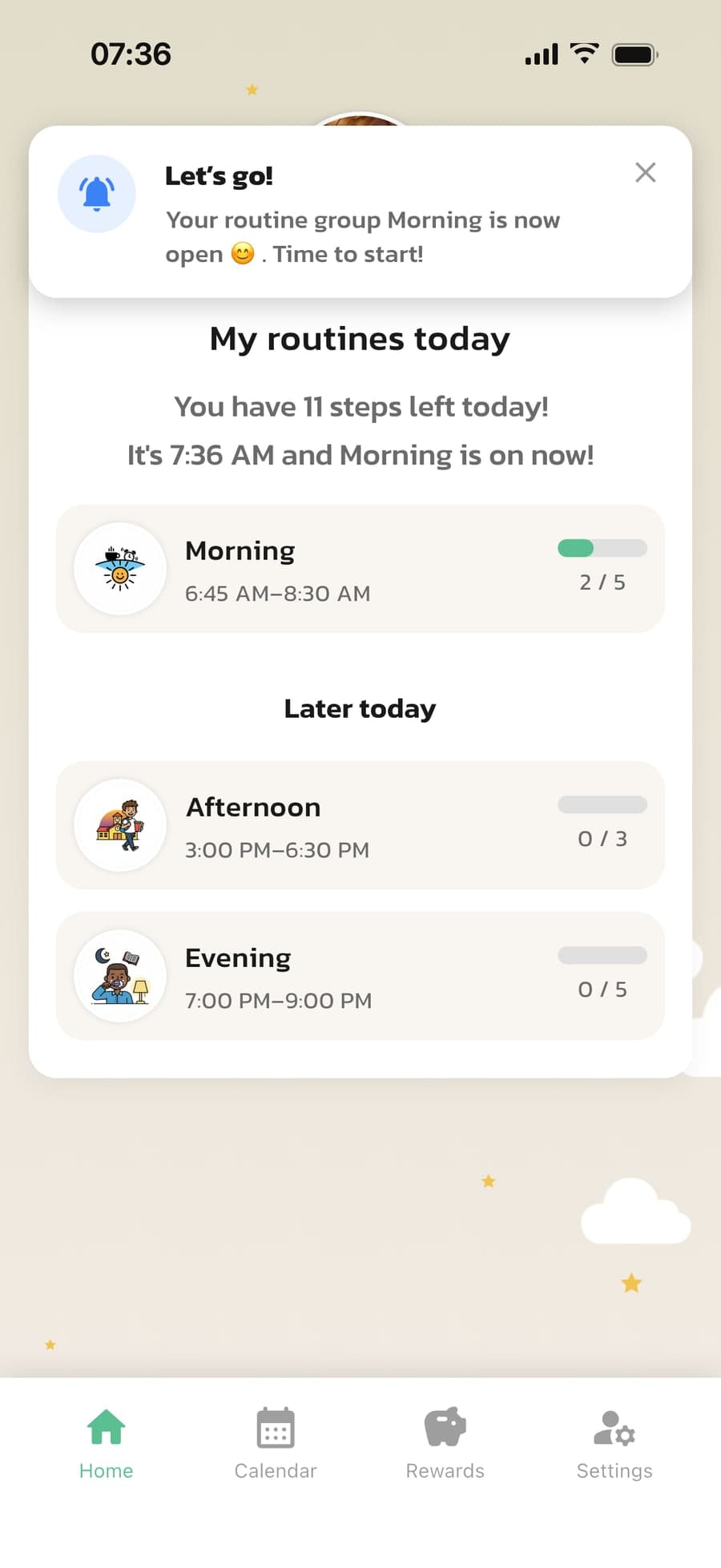
When a routine starts, your child gets a notification: Let's go! You change the routines in your app, and your child sees the change right away.
How to connect your child's device
A couple of minutes, once. After that, your child takes care of their routines on their own.
A code and a QR code
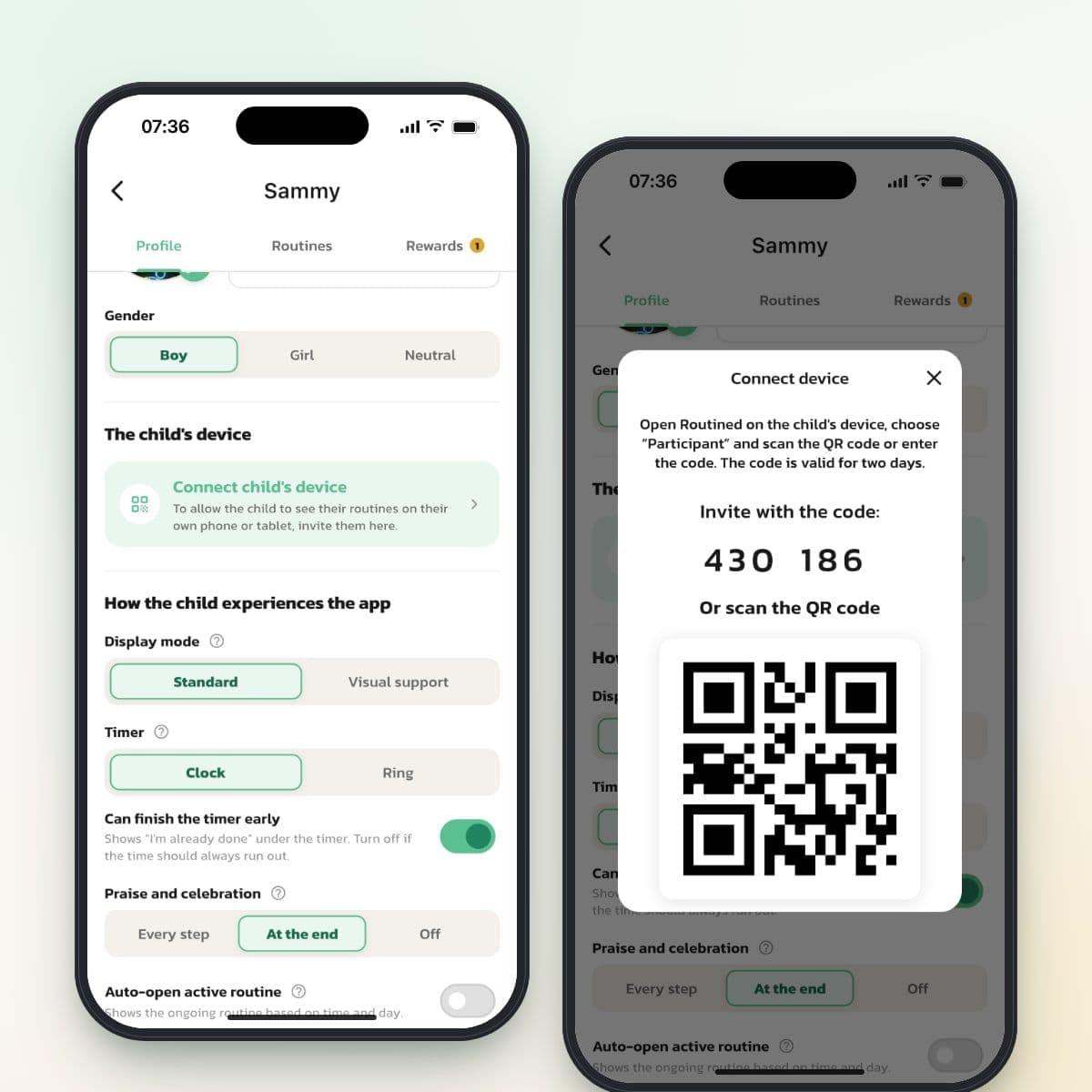
Open your child's profile and tap Connect child's device under The child's device. You get a six-digit code and a QR code that are valid for two days.
No account for your child
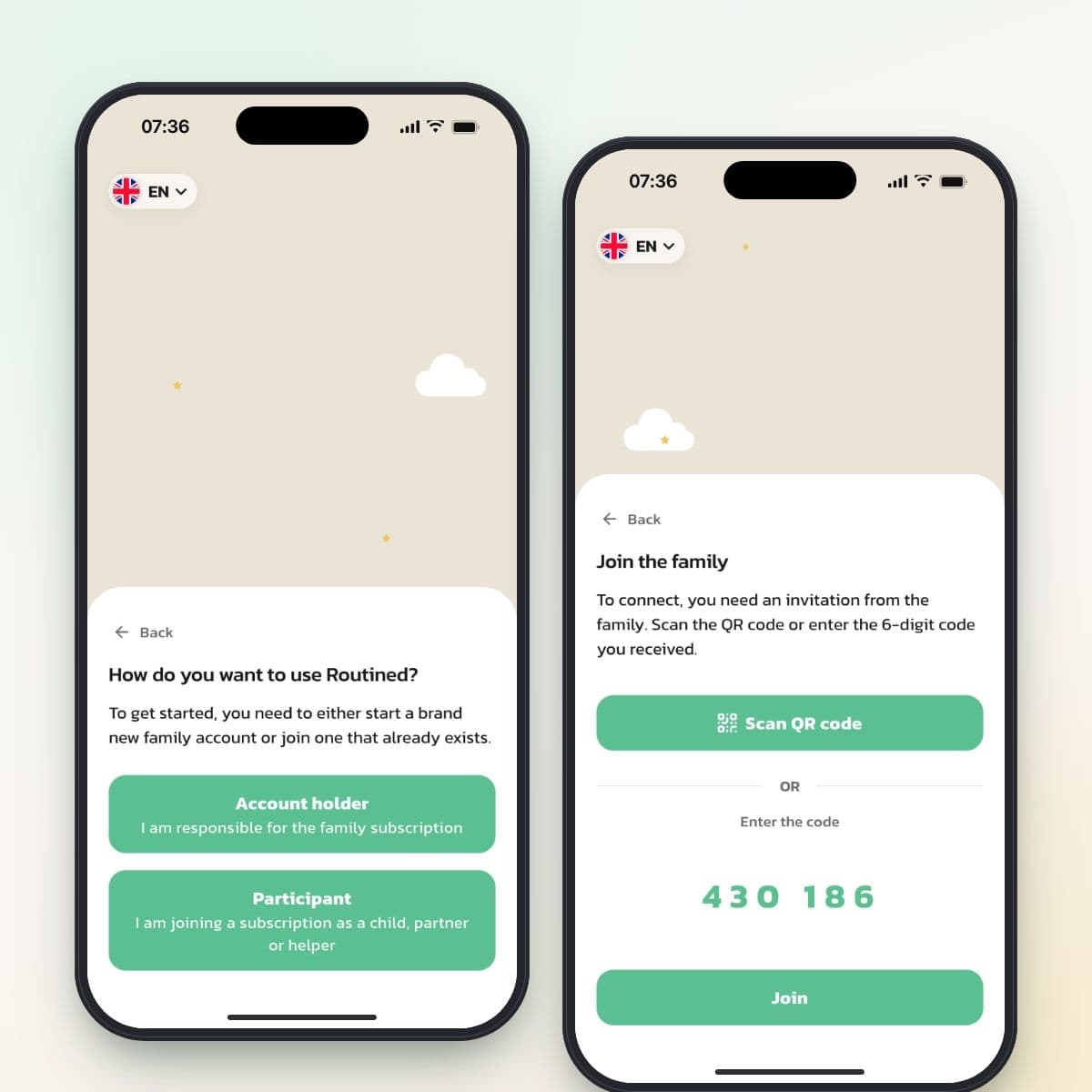
Download Routined on your child's device, choose Participant and scan the QR code or type in the code. Your child is signed in without an email address or password and uses the family's subscription.
One yes to notifications
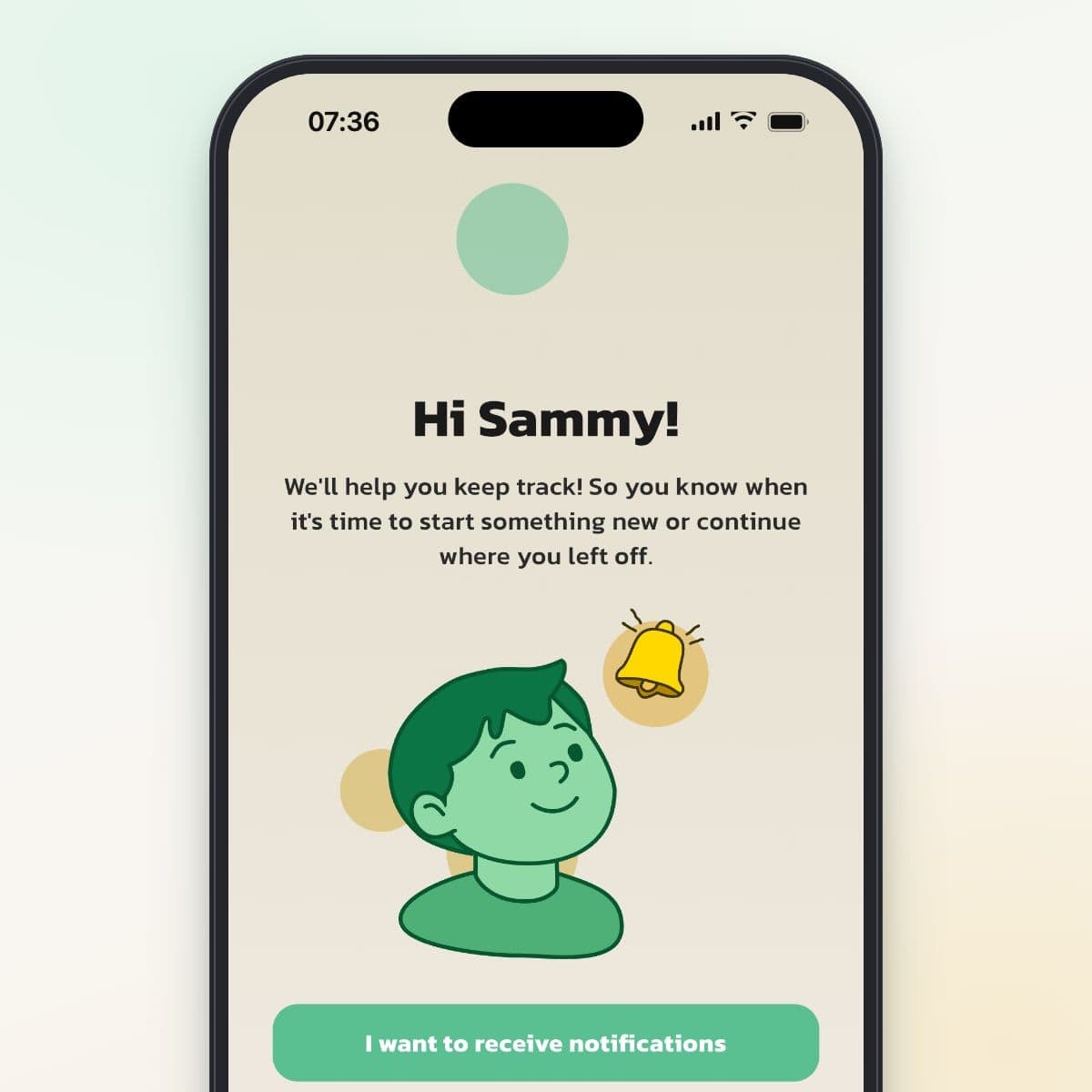
After the code, the app asks whether your child wants notifications. If your child says yes, a notification arrives when a routine starts, when an extra task is approved and when a payout comes in.
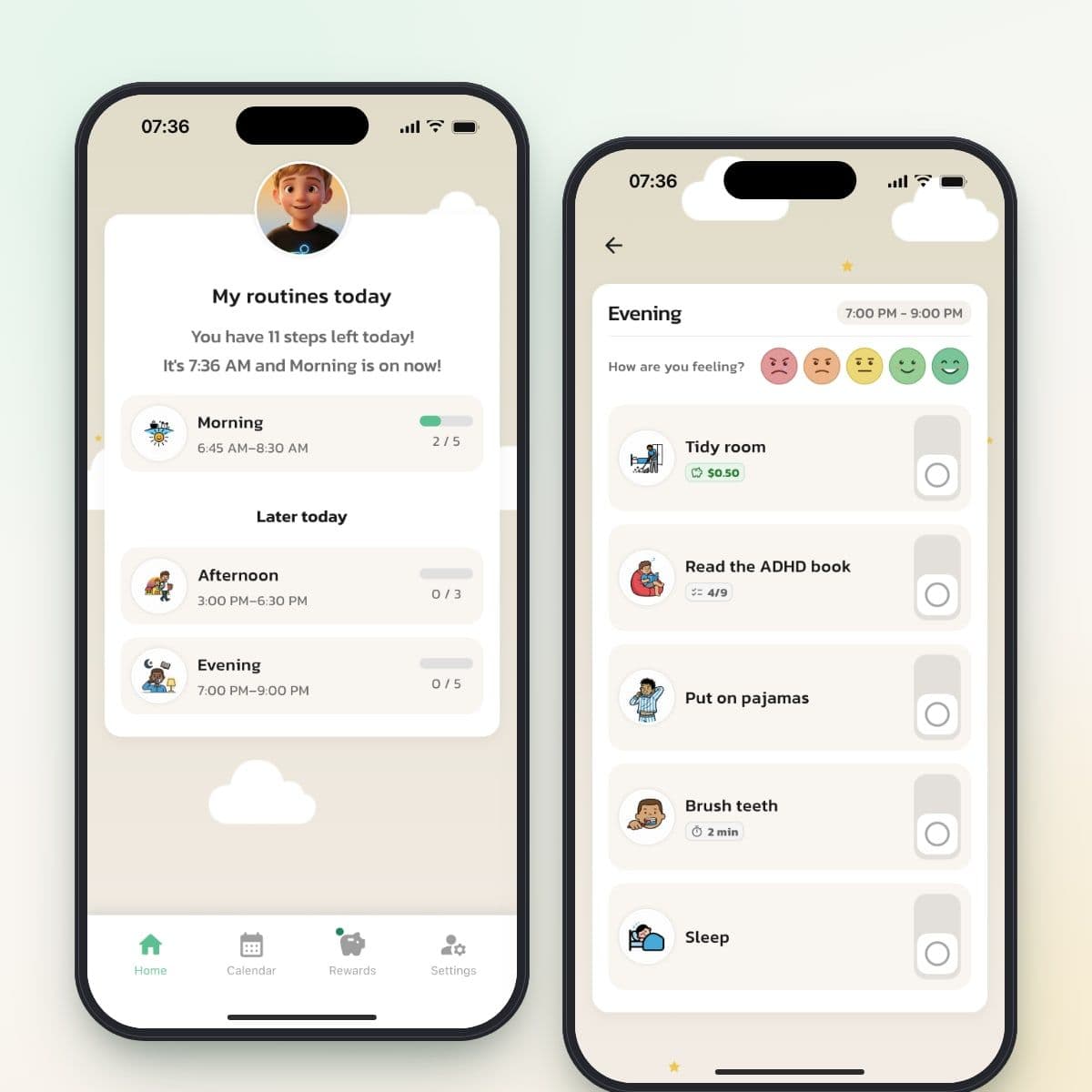
Only your child's own routines
Your child sees today's routines, how many steps are left, their calendar and their rewards. Your child checks off the steps but can't change the routines, and whatever you change shows up right away.
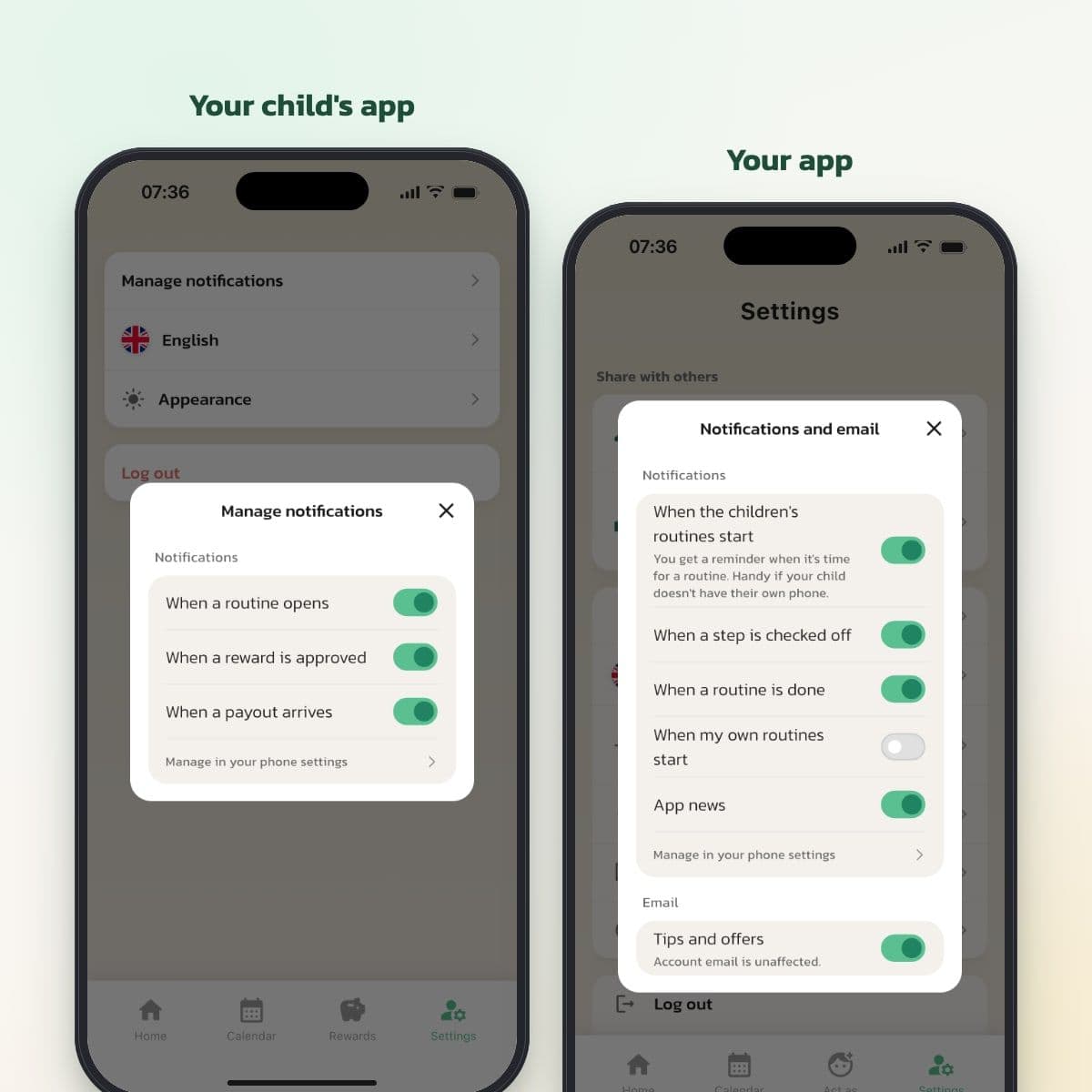
Choose what you want to hear about
Under Notifications and email, choose whether you want a notification when the children's routines start, when a step is checked off and when a routine is done. Your child chooses their own notifications under Manage notifications.
Connecting your child's device step by step
- Open your child's profile in your app and tap Connect child's device under The child's device.
- Download Routined on your child's phone or tablet and open the app.
- Choose Participant and scan the QR code, or type in the six-digit code and tap Join.
- Let your child answer the question about notifications. With I want to receive notifications, your child gets a notification when the routine starts.
The code is valid for two days. Once the device is connected, your child's profile shows Connected.
What your child sees
- Home: today's routines, what's happening now and how many steps are left.
- Calendar: your child's routines and the events you've made visible to your child.
- Rewards: balance, weekly allowance and extra tasks, if you use rewards.
- Settings: notifications, language and appearance.
Your child can't change routines, display mode, timer or rewards. You and the other adults do that in your app.
Notifications
For your child
When a routine starts, a notification goes to your child's device: Let's go! Your child also gets a notification when an extra task is approved and when a payout comes in. Reminders about calendar events arrive if you've chosen Remind the child.
For the adults
You can get a notification when a step is checked off and when a routine is done, and, if you like, when the children's routines start. Choose under Settings, Notifications and email. Your partner chooses their own notifications.
Phone or tablet
Routined is available for iPhone, iPad and Android. Your child can use their own phone or the family tablet, as long as it has internet access.
Limitations to know about
- There's no lock on your child's device. Your child can log out under Settings and then needs a new code.
- The app doesn't control screen time and doesn't lock other apps on your child's device.
- Your child's app needs internet access to show and save the routines.
- The notification that a routine is starting can arrive up to a couple of minutes after the start time.
- If several devices are connected to the same child, notifications only go to one of them.
- You can't disconnect a single device from your app.
Frequently Asked Questions
Ready to simplify everyday life?
Download Routined today and start the journey towards a calmer everyday life with your family.


* 14-day free trial, then $2.39 a month or $20.99 a year (US pricing). Cancel anytime.