Visual supports that fit every child
Build routines where every step has a picture. Choose from over 1,800 images in the app's picture library, let the app create a new image from the step's name, or take your own photo.
With the right picture, steps become concrete and easy to recognize, whether or not your child can read.
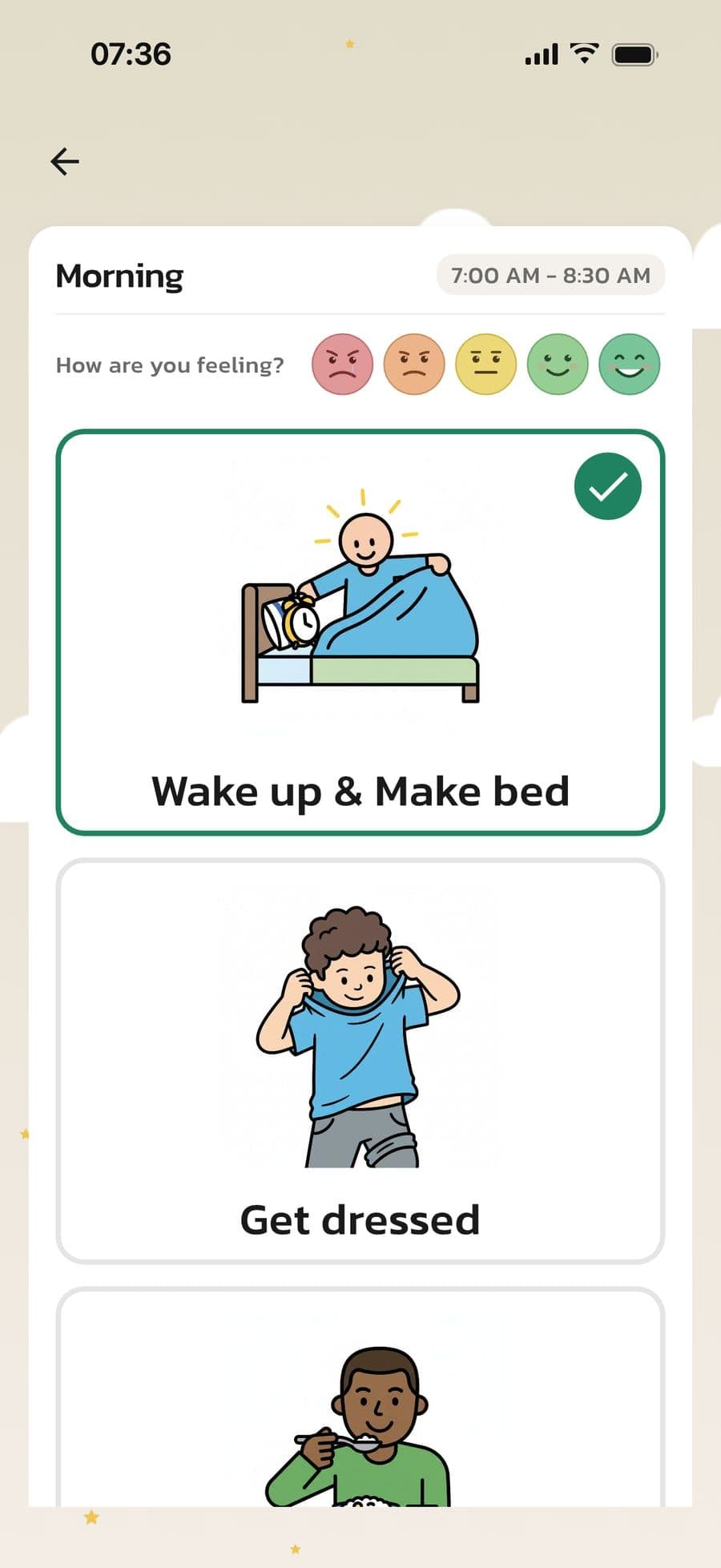
How visual supports work
Every step, routine and calendar event can have a picture. You choose where it comes from.
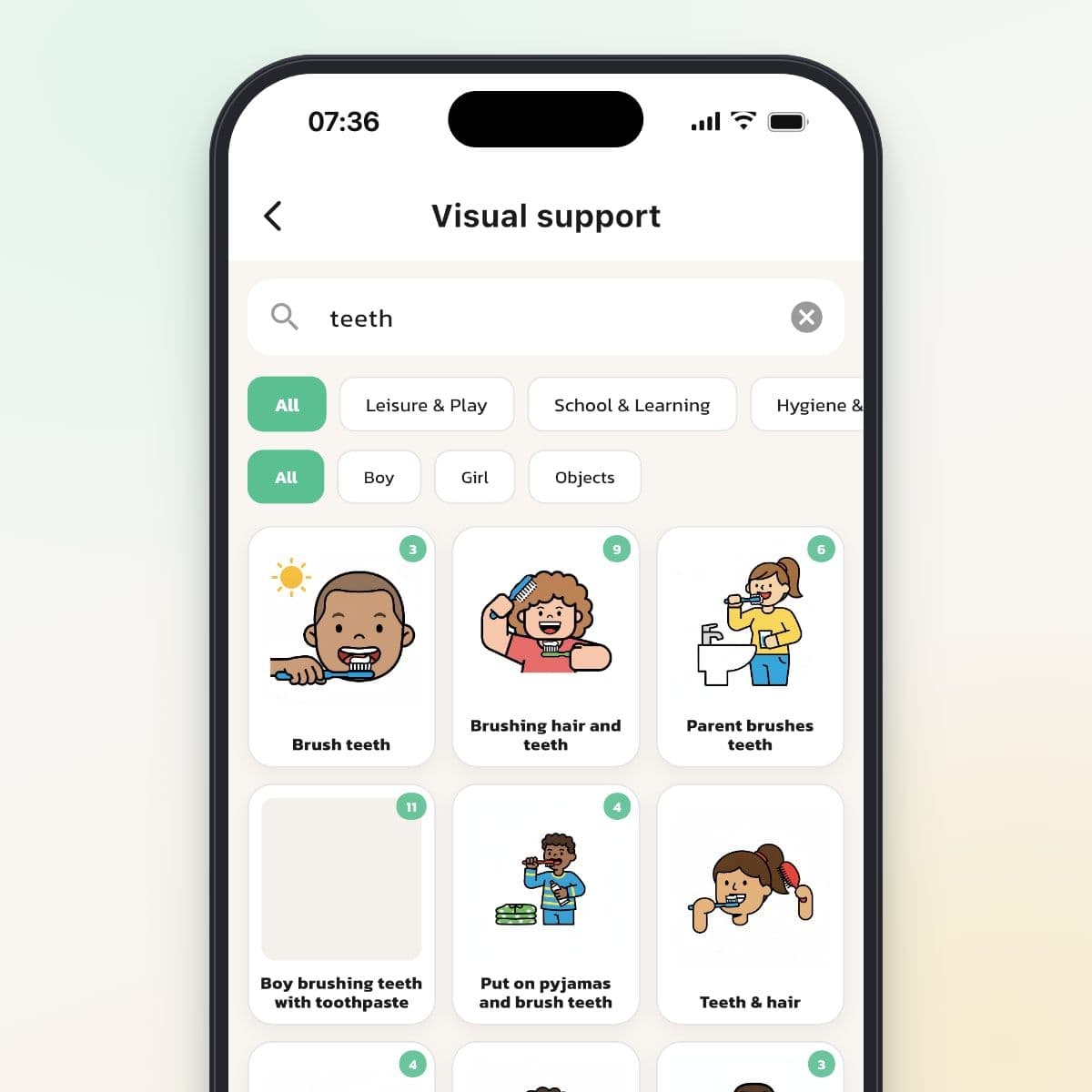
Over 1,800 pictures for everyday life
Search for what you need or browse categories like Morning, Hygiene & Health and School & Learning. Many pictures come in several versions, with a boy, a girl or just the object.
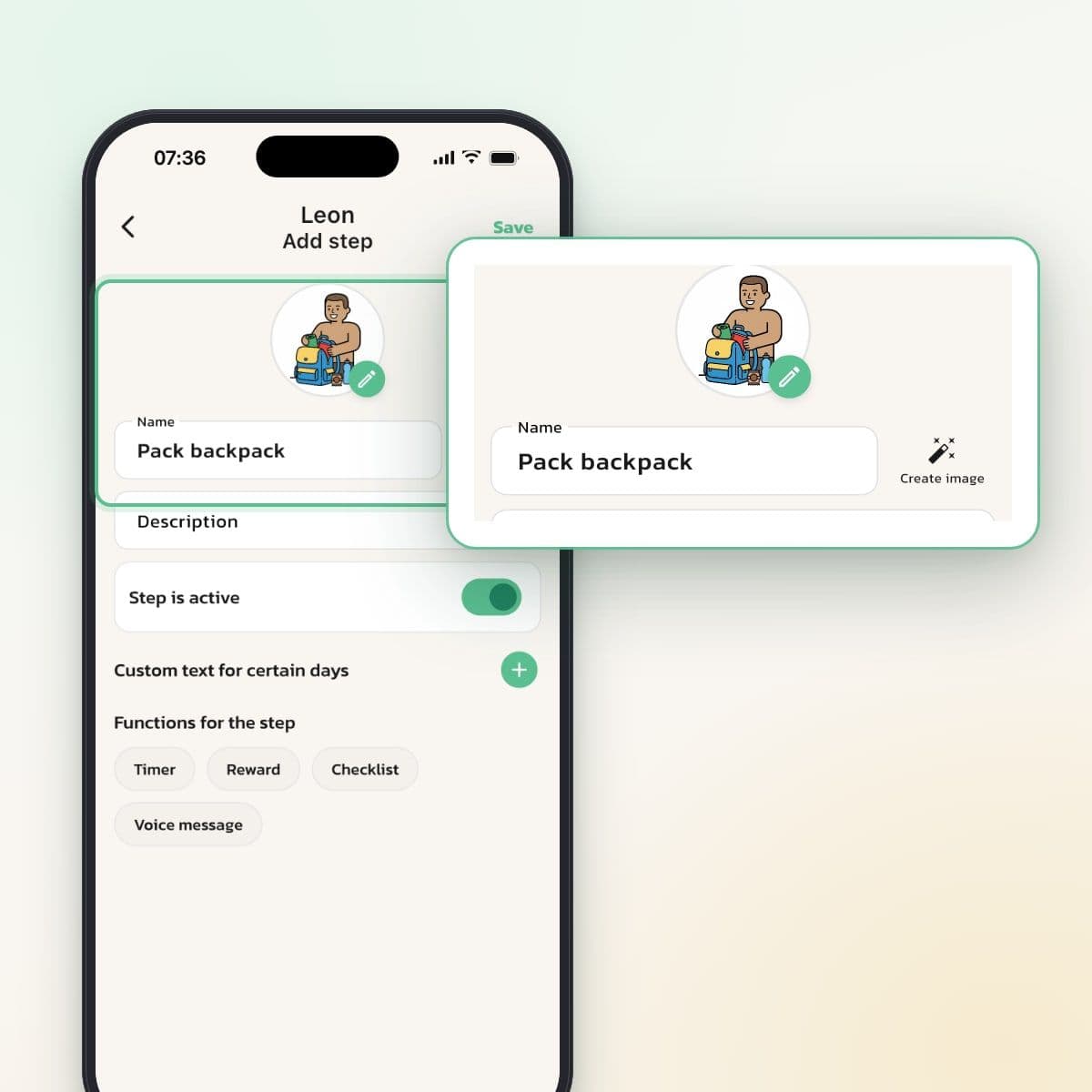
A new picture from the step's name
Type the step's name and tap Create image. The app draws a picture in the same style as the library and adapts it to your child's profile. If pictures already exist for the same name, you get one of them. No quota and no extra cost.
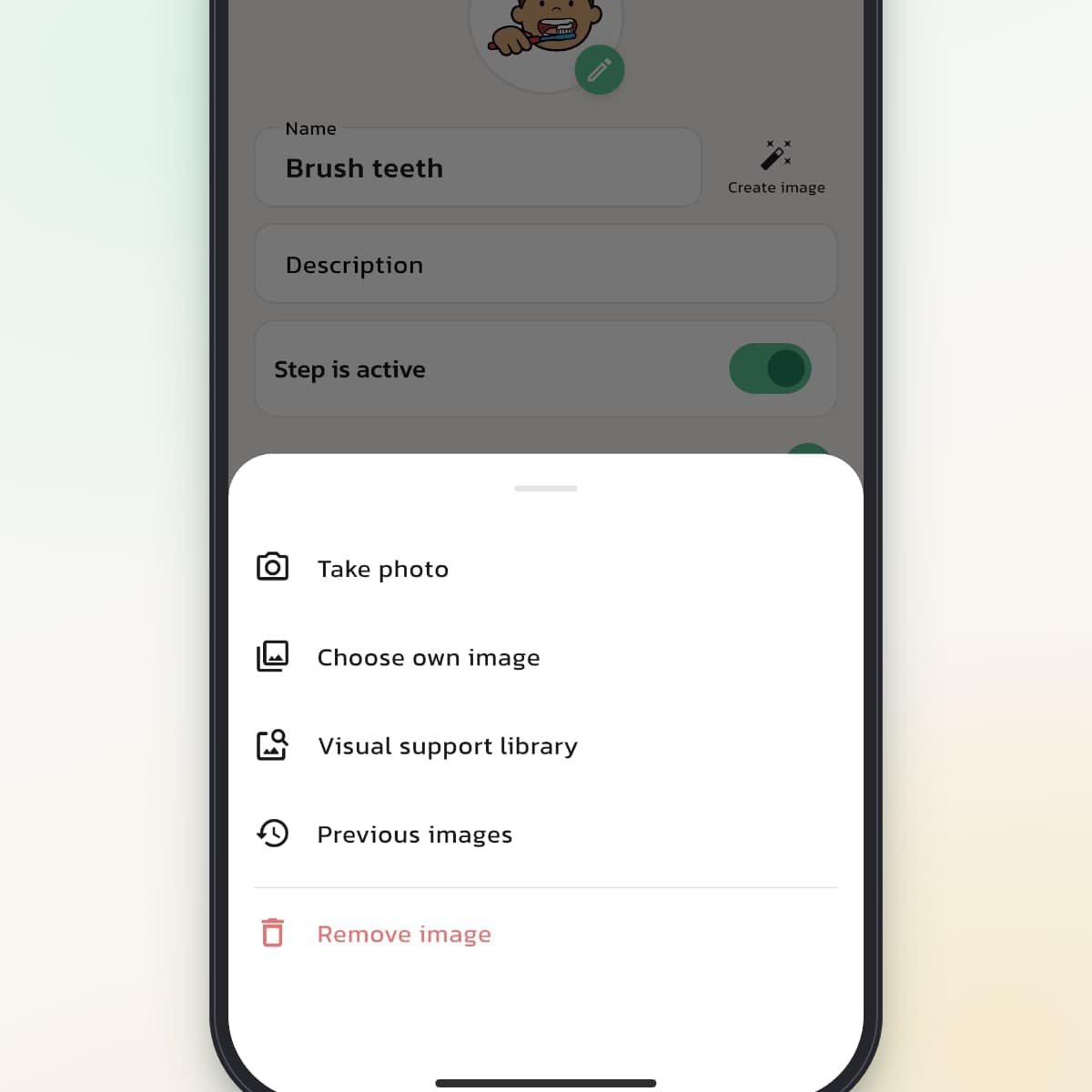
Photograph your child's own things
With Take photo or Choose own image, you can use a photo of your child's toothbrush, jacket or bed. Your own photos are only visible within your family. Keep the item in the middle of the picture, since it's cropped to a square.
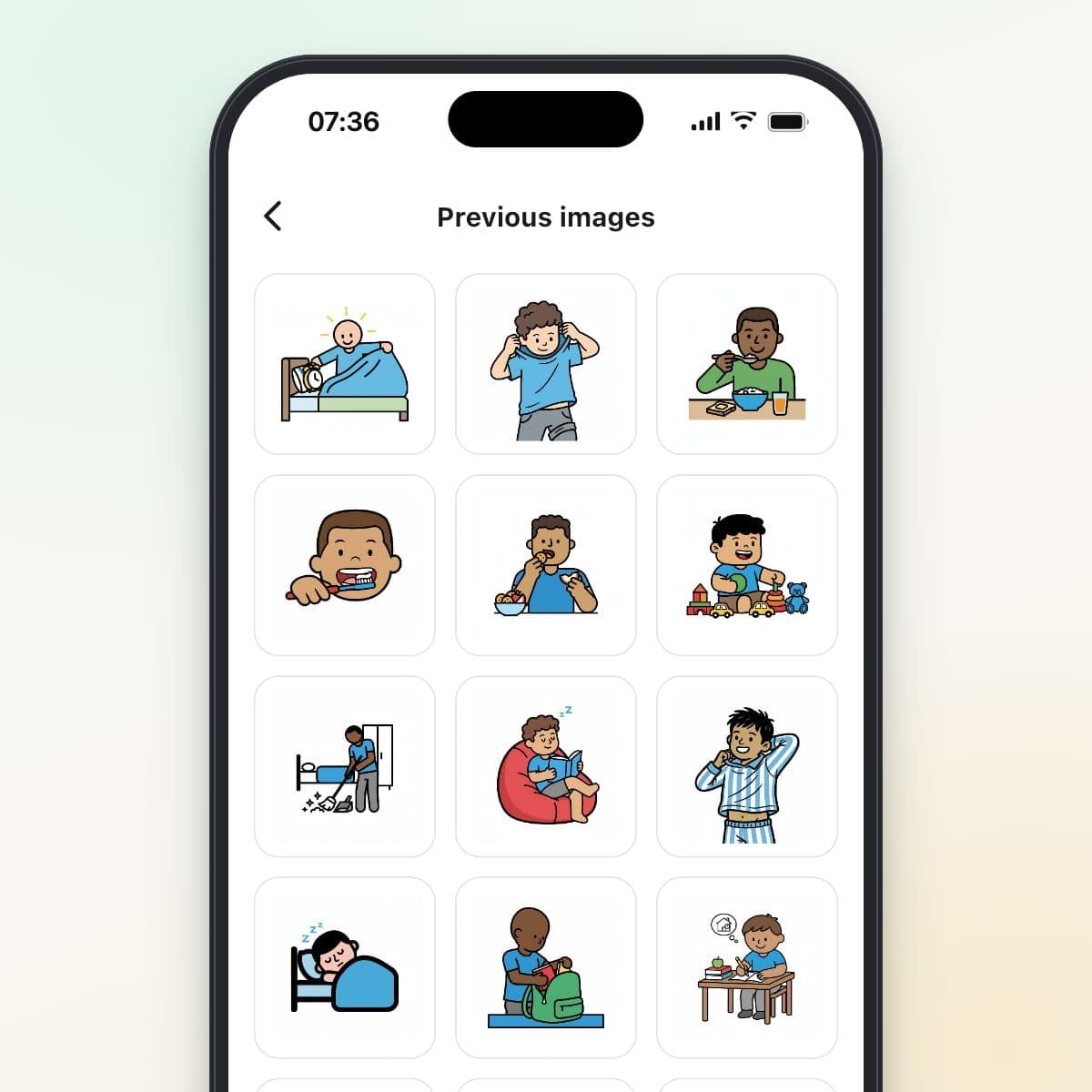
Reuse with one tap
Under Previous images you'll find every picture your family already uses, newest first. With Reuse steps you can also copy whole steps, with picture, timer and checklist, even to a sibling's routine.
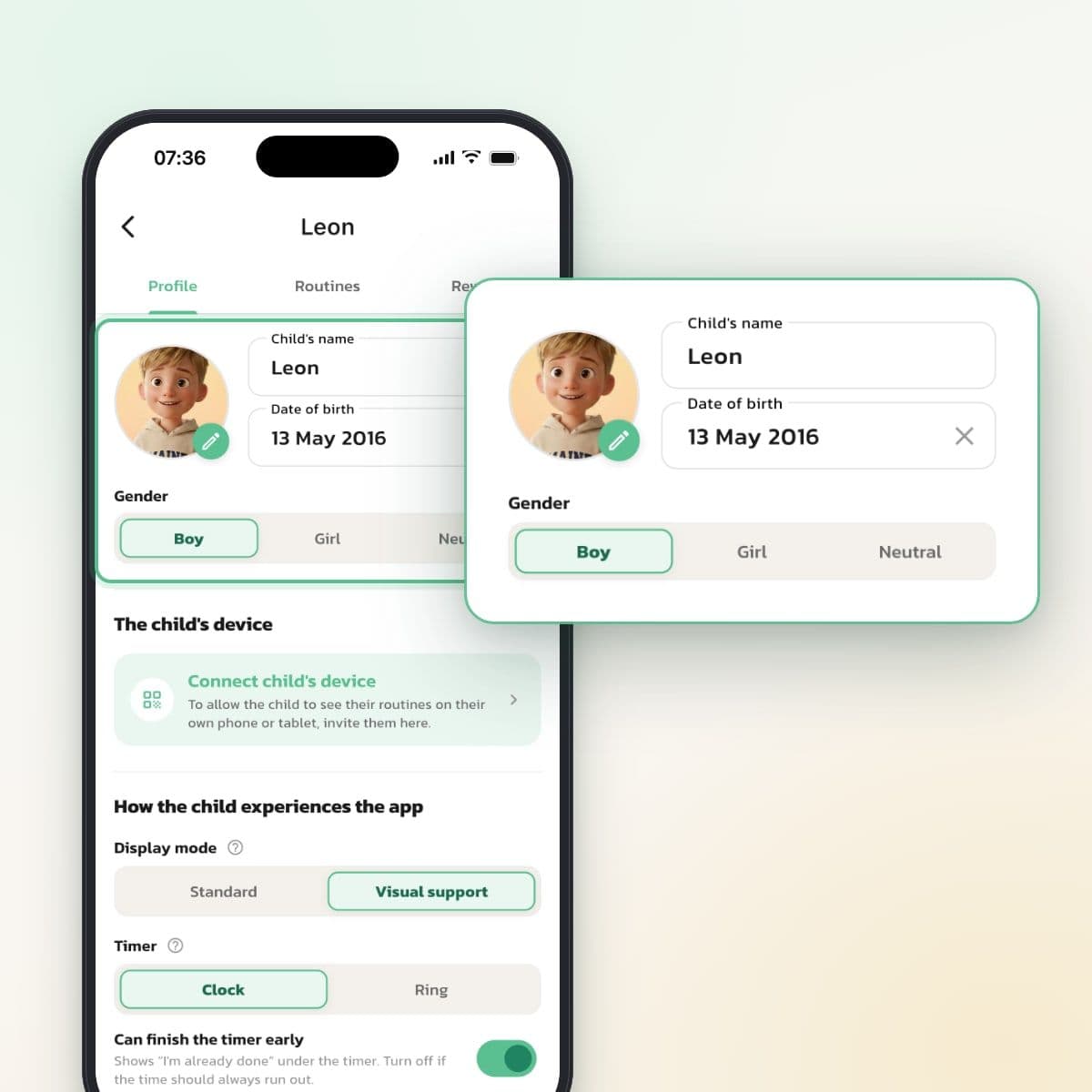
Pictures that fit your child
In your child's profile, choose Boy, Girl or Neutral, and Create image draws accordingly. With Neutral, you get hands and objects instead of a person. Each child has their own routines, so siblings can have different pictures for the same step.
Why visual supports help
Visual supports are a teaching tool widely used by therapists and in special education. When your child can see what's going to happen, they don't have to hold everything in working memory. That frees up energy, and many children become calmer and more independent.
For a child with ADHD or autism, a spoken instruction can get lost in the noise. The brain has to interpret the voice, understand the words and remember the order all at once. A picture shows right away what to do, and that helps children who talk freely just as much as children who have no spoken language.
Visual supports, pictograms, visual schedules and drawing while talking
The terms overlap, but they mean slightly different things.
Visual supports is the umbrella term for pictures that help a child understand, communicate or follow instructions: drawings, photos or symbols.
Pictograms are simplified, stylized symbols, often from systems like PCS or Widgit, used in schools and by therapists. The pictures in Routined are drawn symbol pictures with clear outlines, but they don't belong to either of those systems.
A visual schedule is when the pictures are put in the order things should happen: first brushing teeth, then getting dressed, then breakfast.
Drawing while talking is when an adult draws simple pictures during a conversation, often to explain a situation or a feeling. It's a way of talking together, not a ready-made material.
In Routined you build visual schedules: each routine is a sequence of steps with pictures.
Visual supports for ADHD
With ADHD, the problem is rarely understanding what to do, but getting started and keeping going. Visual supports help in two ways:
- Big tasks are broken into small, visible steps, which makes it easier to start.
- Every step checked off gives a quick sense of having done something.
Add a timer to the steps where time matters, and it's clear both what to do and for how long.
Visual supports for autism
With autism, it's often about predictability and transitions. The worry isn't always about the task itself, but about not knowing what comes next. Visual supports help by:
- showing the whole routine, not just the next step,
- making abstract moments concrete with photos of your child's own things,
- preparing for new situations, for example a dentist visit in the calendar with a picture your child can look at ahead of time.
For children without spoken language, pictures can be one of the most important ways to understand what's going to happen. Routined is a scheduling tool and doesn't replace an AAC tool recommended by a speech therapist, but the two can be used together.
Where to start, by your child's age
Ages 3–5
Start with 3–4 clear pictures in a single routine, for example bedtime. The templates in the app come with ready-made pictures. Say the words as you look at the picture together, every time.
Ages 6–9
Expand to 5–7 steps per routine and mix library pictures with your own photos where details matter. Let your child help choose the pictures, so the routine becomes their own.
Ages 10 and up
Many older children want more text and fewer pictures. The Standard display mode shows a small round picture next to the text. Keep pictures where details matter, for example the right gear for practice.
Free picture library on the web
The pictures in the library are also on the Routined website. There you can download them for free, without an account, and put together your own schedule to print.
Visual supports in preschool and school
Visual supports are common in preschool and school, especially for children with ADHD, autism or a language disorder. Routined is an app for the family, but the pictures you use at home can complement the ones used at school.
Tip: If your child's preschool or school uses different pictures, you can add the same images with Choose own image, if the school's license allows it. The same pictures at home and at school make things easier for your child.
Frequently asked questions
Ready to simplify everyday life?
Download Routined today and start the journey towards a calmer everyday life together with your family.


* 14-day free trial, then $2.39 a month or $20.99 a year (US pricing). Cancel anytime.