Share routines with the other parent
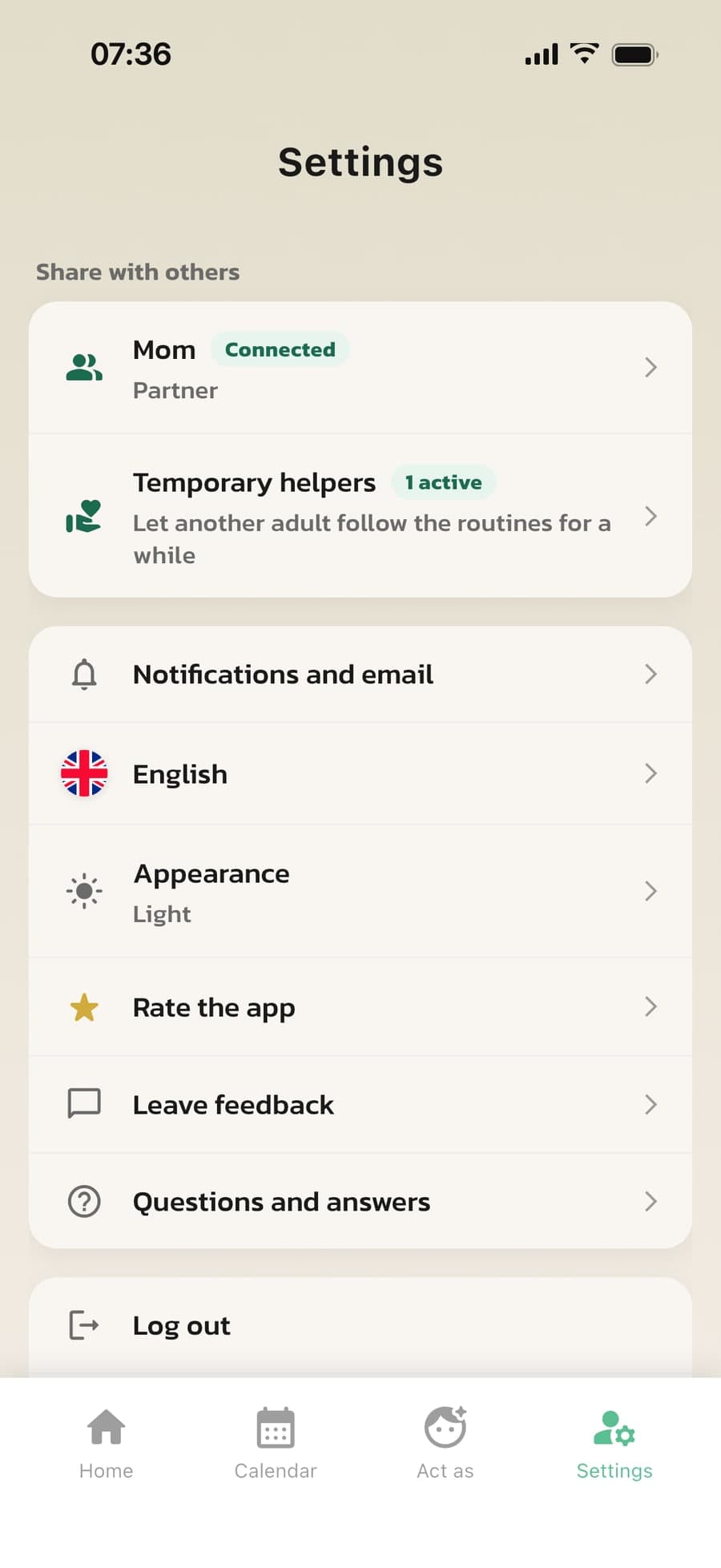
Invite your partner with a code or QR code. You both see the same routines, rewards and progress, and changes show up right away on both phones. Your partner is included in the subscription.
Is Grandma or a babysitter helping out for a few days? Invite a temporary helper who follows today's routines on their own phone.
How parent collaboration works
Made for families where more than one adult helps out: two homes, shift work, travel and grandparents.
Code or QR code
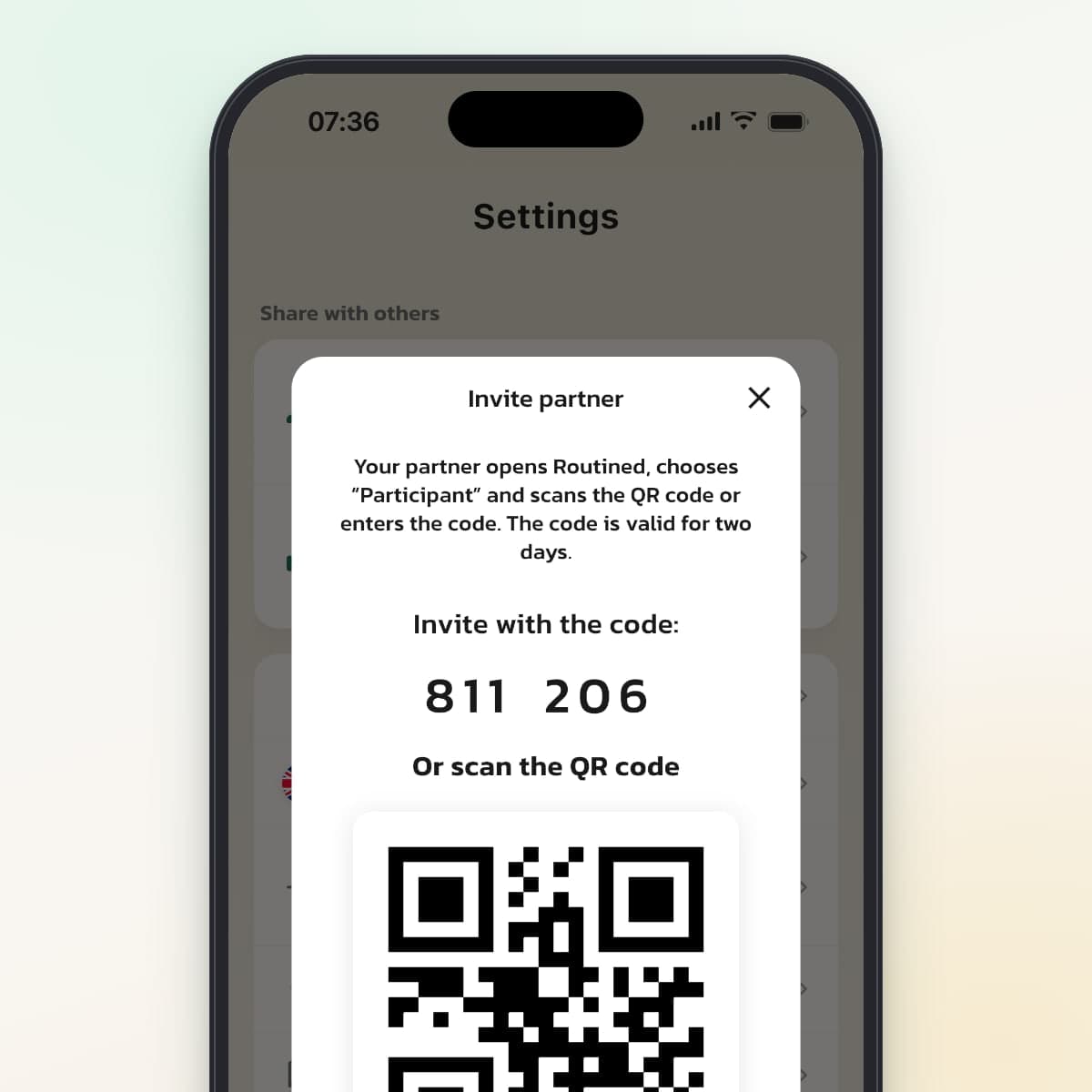
Under Settings, Share with others, tap Invite partner. Your partner downloads Routined, chooses Participant and scans the QR code or types in the six-digit code. The code is valid for two days.
You see the same thing, instantly
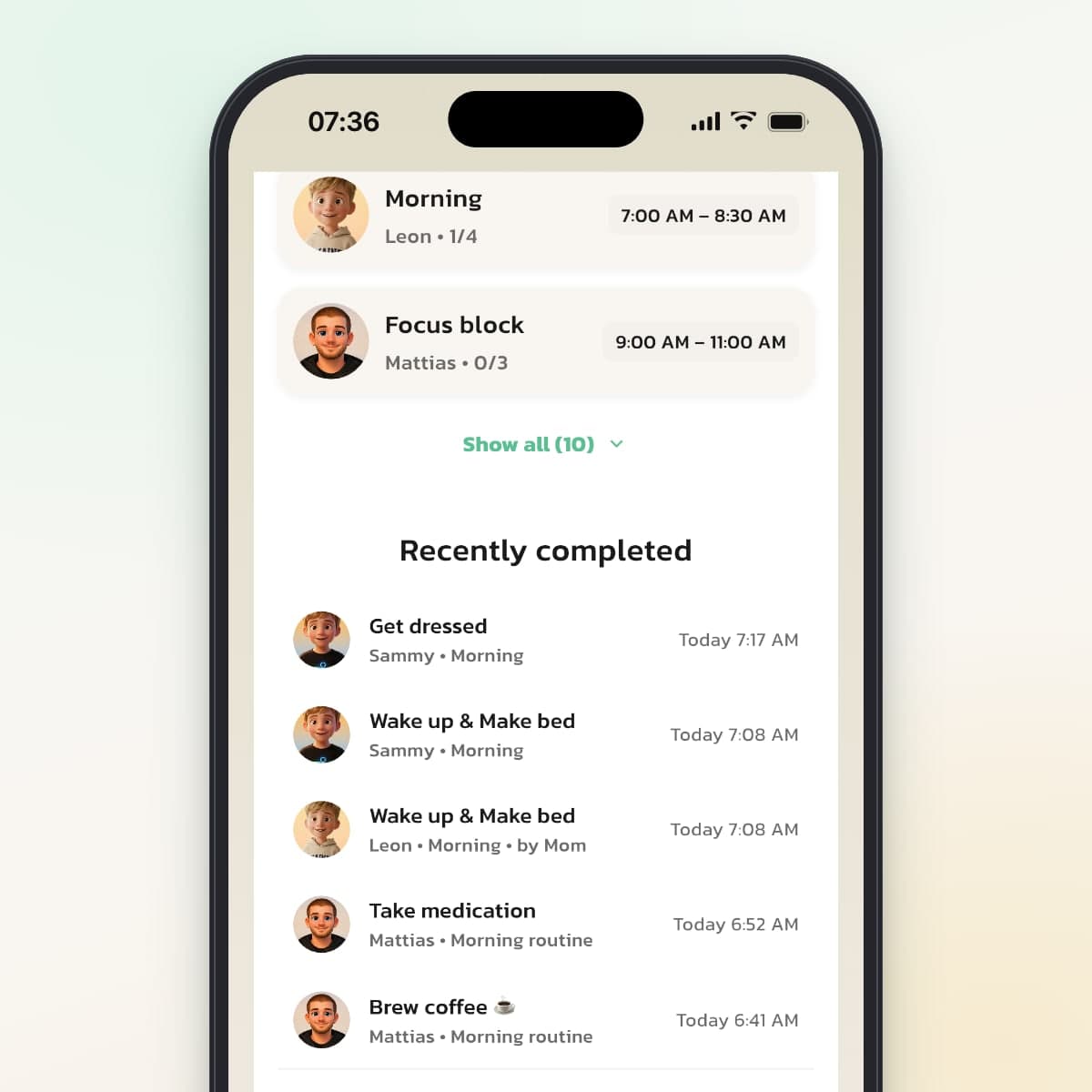
When your child or either of you checks off a step, it shows up right away on both phones. Under Recently completed you can see who checked it off: your child, "by you" or, for example, "by Mom."
Your own routines, just for you
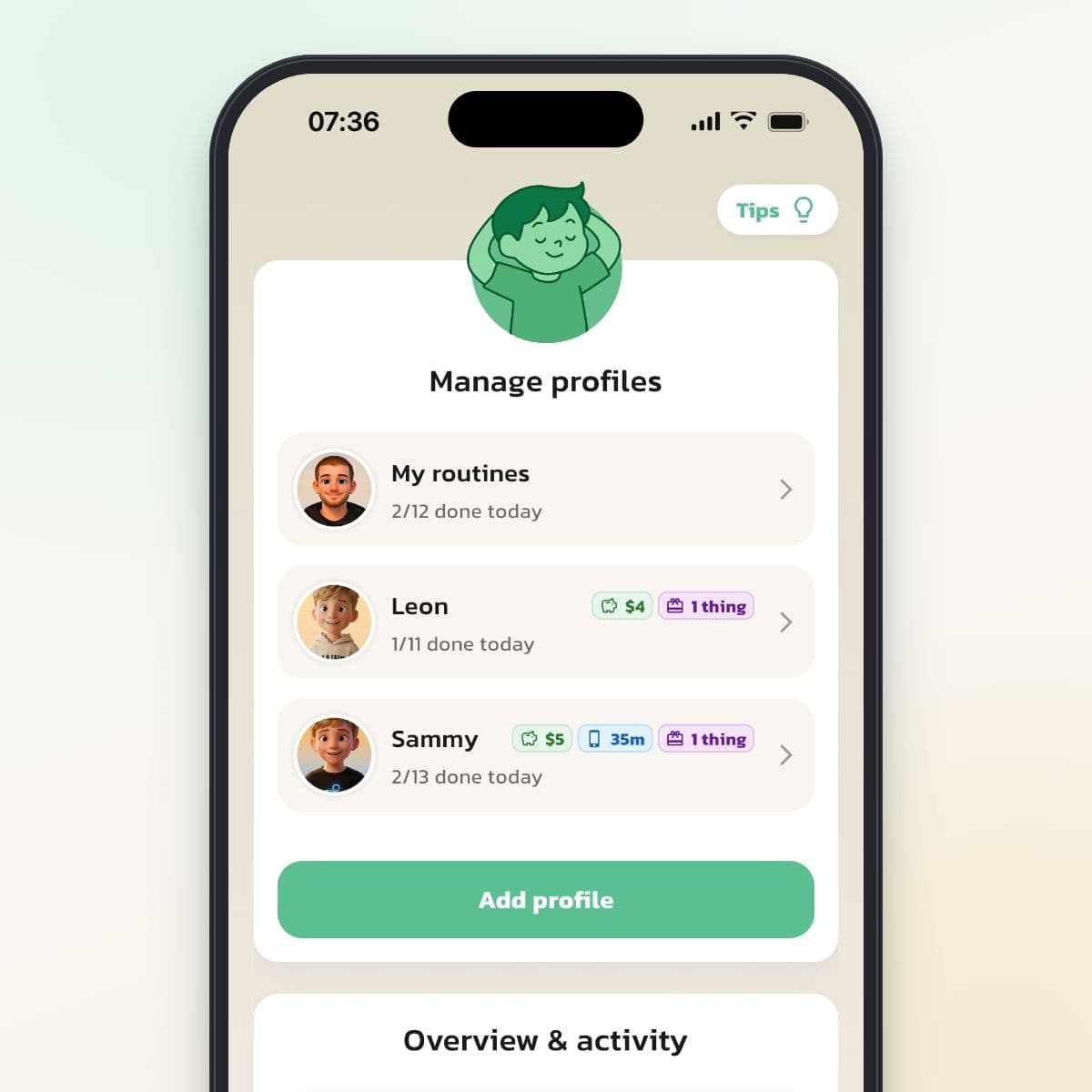
Your children's routines, rewards, history and statistics are shared. Under My routines, each adult has their own routines that only they can see, with their own display mode and mood check.
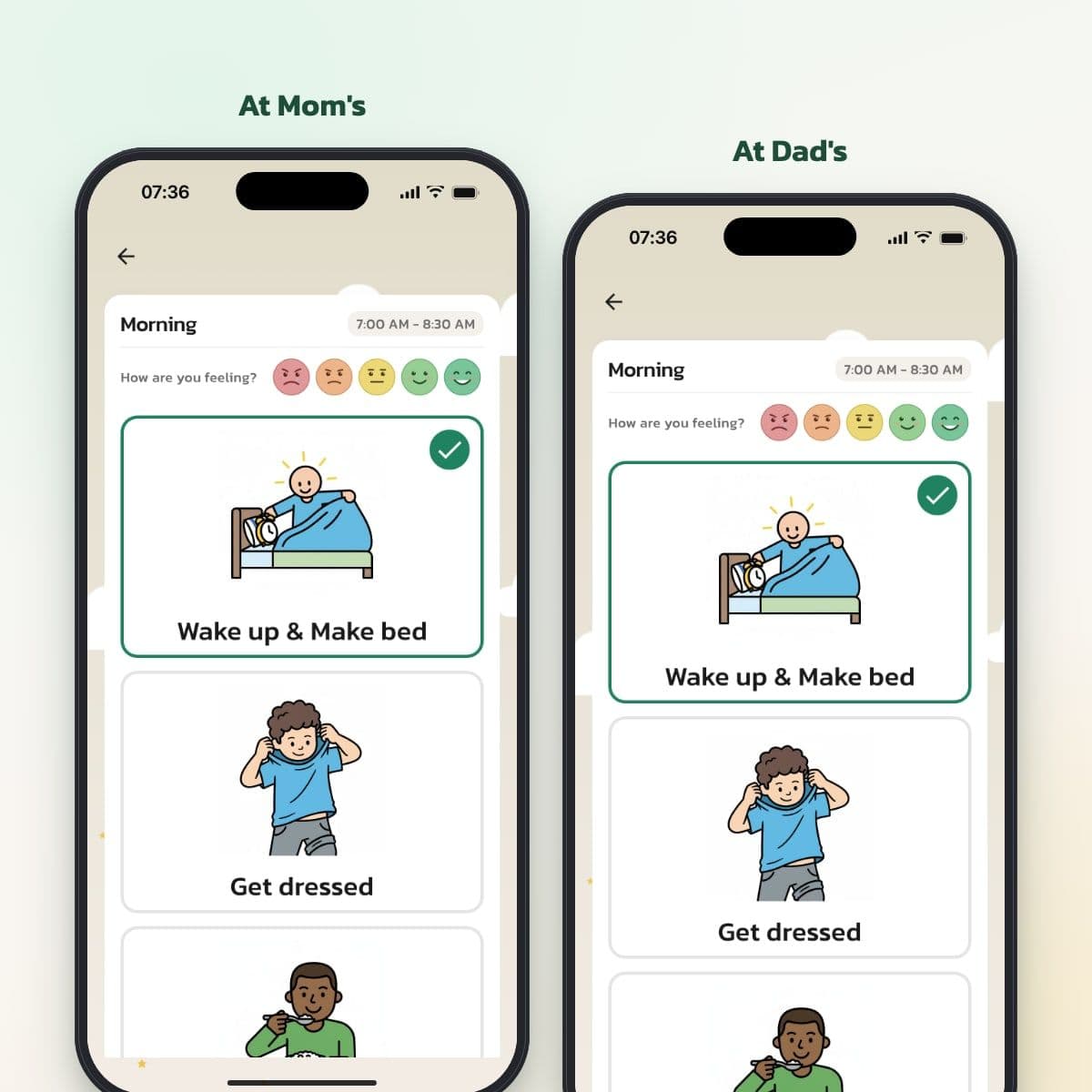
The same routine in both homes
The routine follows your child. If your child splits time between two homes, they see the same morning routine, with the same steps and pictures, wherever they sleep. Your child can have their own device in each home.
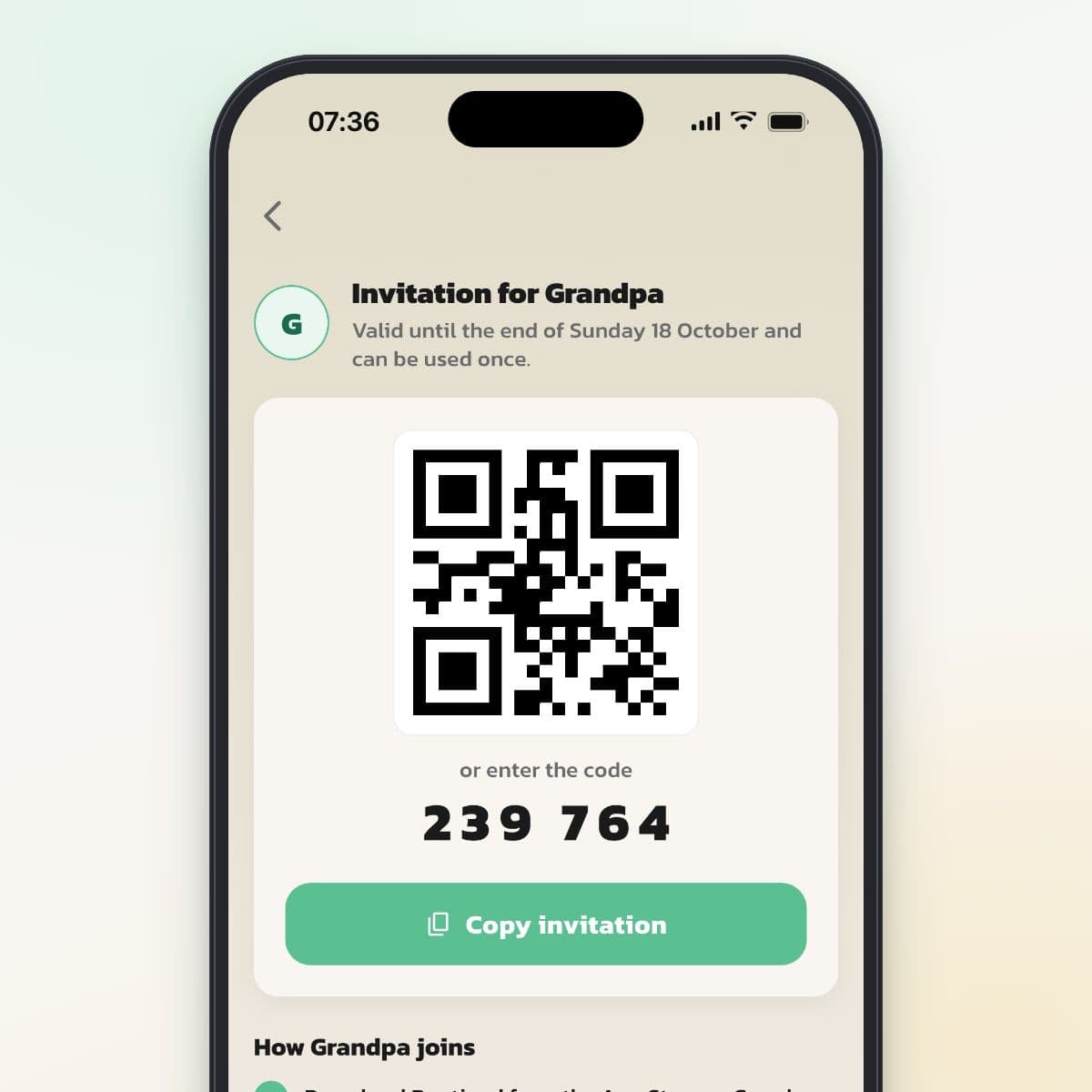
Grandma or the babysitter gets access for a while
Invite a helper for today, three days, a week or until a date you choose. The helper gets their own code that works once, and you can write the most important things under Good to know. Access ends on its own.
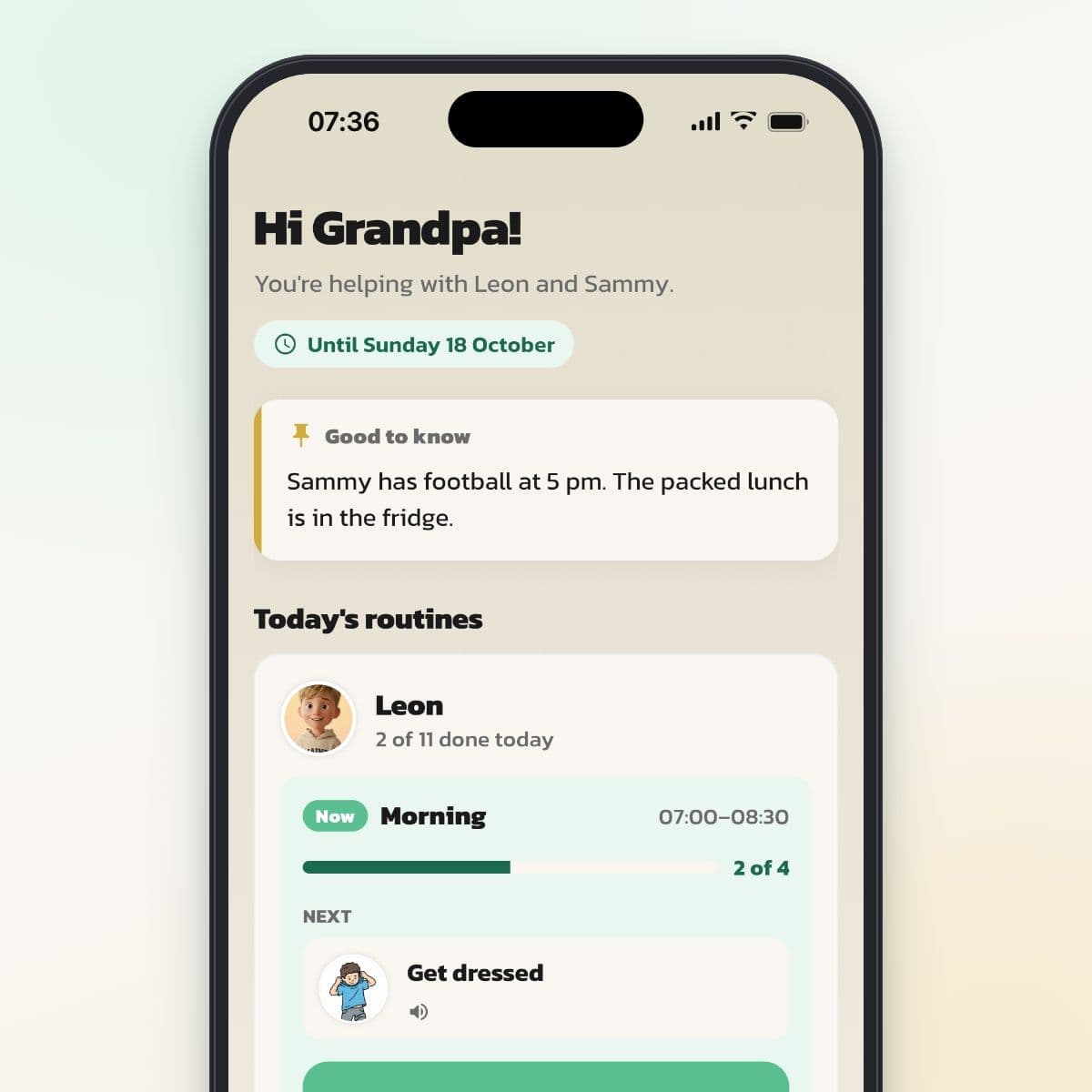
The helper sees today's routines
The helper connects on their own phone, without an account, and sees which routine is happening now and what the next step is. The helper can check off steps together with your child, but can't change routines, settings or rewards.
Why shared access matters
Everyday life with kids is rarely a one-person job. When only one parent has the app, all the responsibility lands there, and the other parent doesn't know what has happened. With shared access, you can both build, change and follow your children's routines.
Who does what
The person who created the account is the account holder and pays for the subscription. Your partner is included at no extra cost. When it comes to the children, you have the same permissions:
- Both of you can create and change routines, steps and child profiles.
- Both of you can approve and pay out rewards.
- Both of you see history, statistics and mood checks.
- Both of you can connect your child's device and invite temporary helpers.
A few things only the account holder can do: invite and remove the partner, manage the subscription and delete the account. If the account is deleted, everything is gone, for the partner too. The partner has Leave the family instead.
When working together makes the biggest difference
With shared custody
When your child moves between two homes, the same routine, with the same steps and pictures, makes everyday life more predictable. A routine can apply on certain weekdays or chosen dates, but not every other week. Add the dates that apply if a routine should only exist in one of the homes.
With work or travel
The parent who's away can still see which routines got done today and how your child felt according to the mood check. Each adult chooses their own notifications, for example When a step is checked off or When a routine is done.
When you want different things
Maybe one of you wants fixed times and the other more flexibility. Since you can both make changes, you can figure it out together, instead of one deciding and the other following.
How the invitation works
- Go to Settings and tap Invite partner under Share with others.
- Your partner downloads Routined, taps Get started and chooses Participant.
- Your partner scans the QR code or types in the six-digit code and taps Join.
- Your partner chooses what the family should call them, for example Mom or Dad, and is then in.
The code is valid for two days. Your partner doesn't need their own account, since the sign-in is linked to their phone. If your partner gets a new phone, you remove the partner and invite them again, and their own routines can then be restored.
What's shared and what's private
Shared: the children's profiles, routines, rewards, history, statistics and mood checks, plus calendar events that involve a child.
Private to each adult: the routines under My routines with their own display mode and mood check, calendar events for Me, and personal choices for notifications and language.
Temporary helpers
Sometimes someone else is with your child: Grandma for the weekend, a babysitter or a respite caregiver. Under Share with others, Temporary helpers, you or your partner can invite a helper.
- Choose a name, which children it's for and for how long: Today, 3 days, A week or a date you choose. Access lasts until 11:59 p.m. on the last day.
- Write what the helper needs to know under Good to know, for example bedtime, allergies or your phone number.
- The helper gets a code and a QR code that can be used once. With Copy invitation you get a ready-made text to send.
- The helper sees today's routines, what's happening now and today's events in the calendar, and can check off steps together with your child.
- The helper can't change routines, settings or rewards. You can end access at any time.
Worth talking about
Since you can both change everything related to the children, it helps to agree on who's mainly responsible for what, for example who builds the morning routine and who keeps track of rewards. That way you avoid changing each other's work.
Frequently Asked Questions
Ready to simplify everyday life?
Download Routined today and start the journey towards a calmer everyday life with your family.


* 14-day free trial, then $2.39 a month or $20.99 a year (US pricing). Cancel anytime.