Rewards your child can watch grow
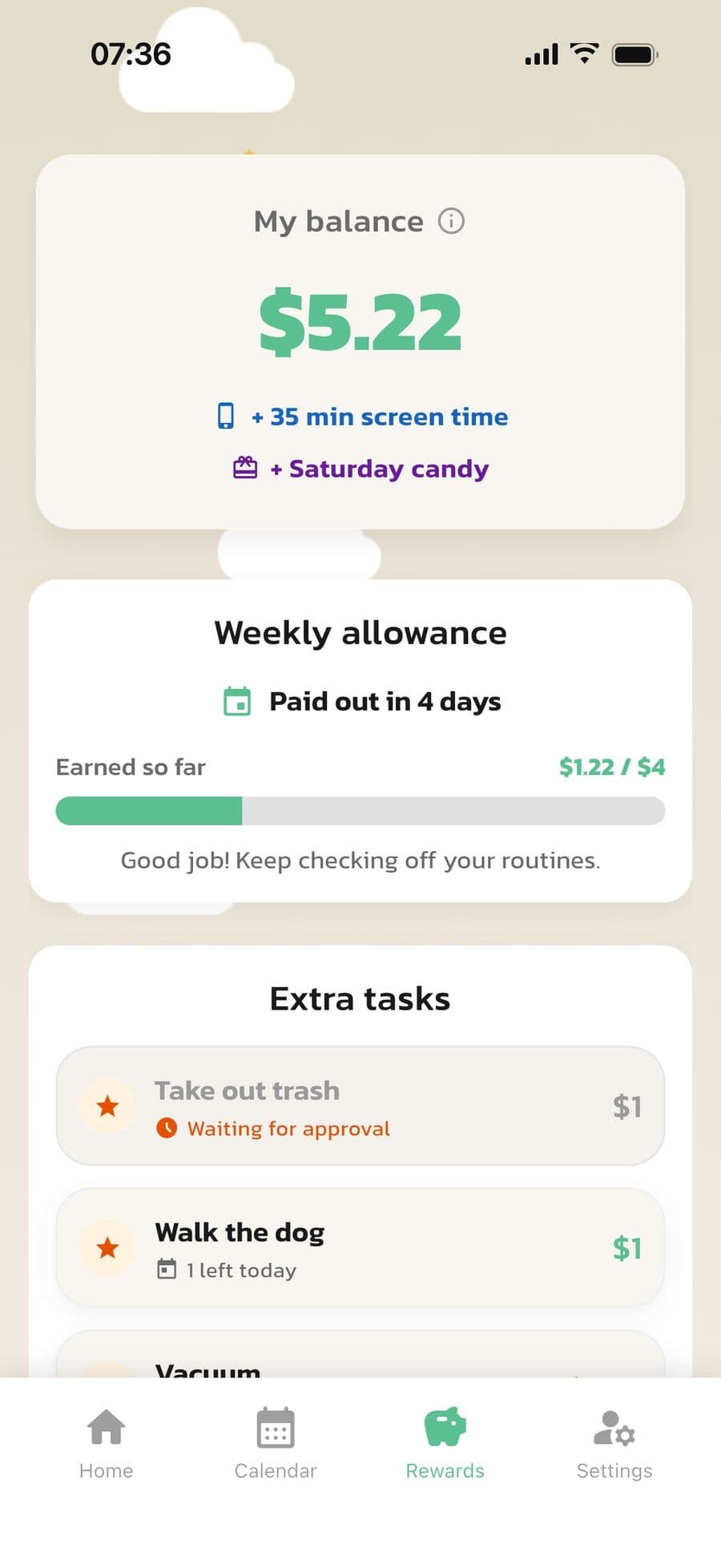
Link a reward to a step or an extra task: an amount, screen time or something you decide, like Saturday candy. Your child sees their balance and how the weekly allowance fills up on their own Rewards tab.
Everything is optional. You can have routines with no rewards at all, just an allowance, or both.
How rewards work
You decide what earns a reward, how much and when it's paid out.
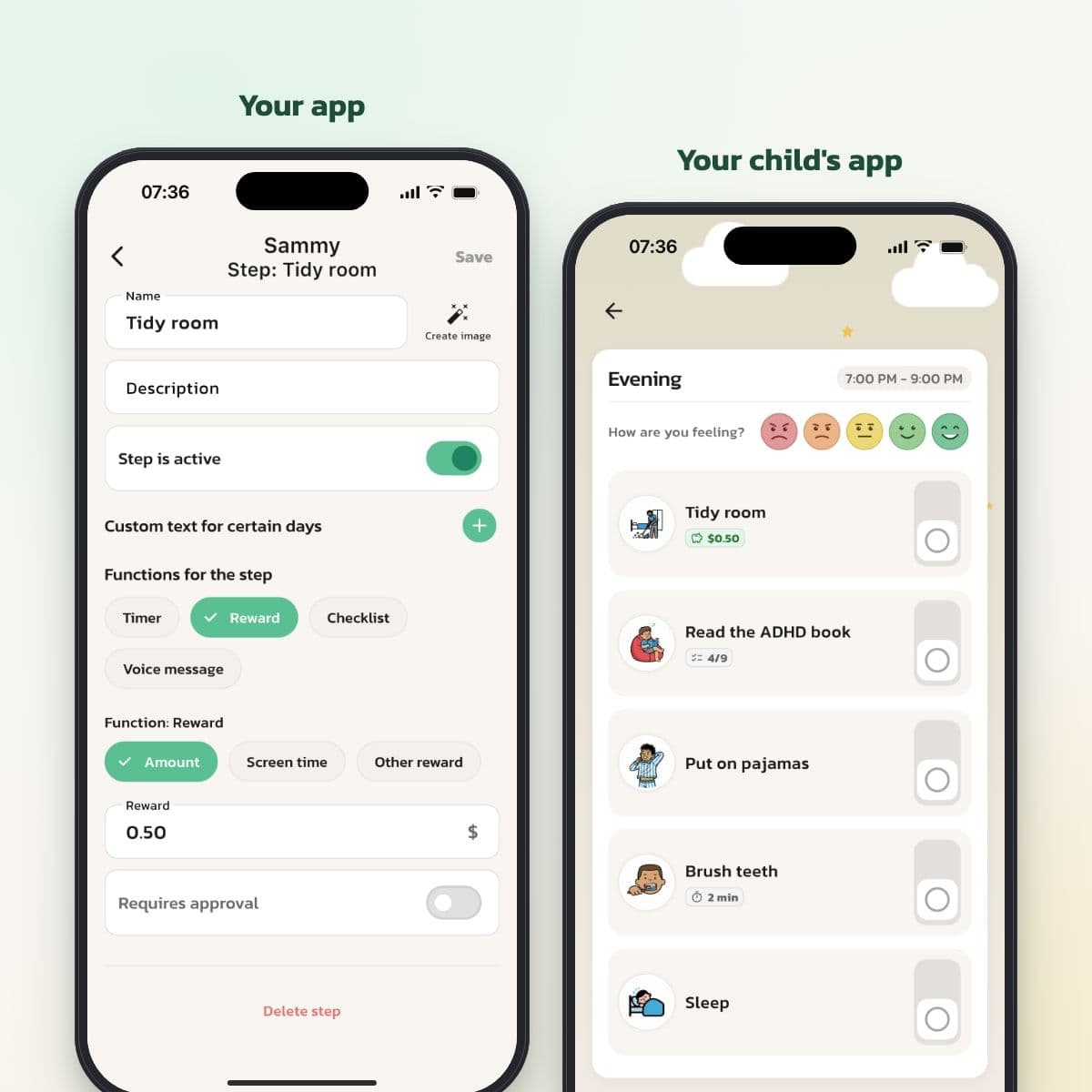
An amount, screen time or something of your own
Choose Reward under Functions for the step, then Amount, Screen time or Other reward. Turn on Requires approval if you want to see that it's done before the reward counts. Your child sees the reward right on the step.
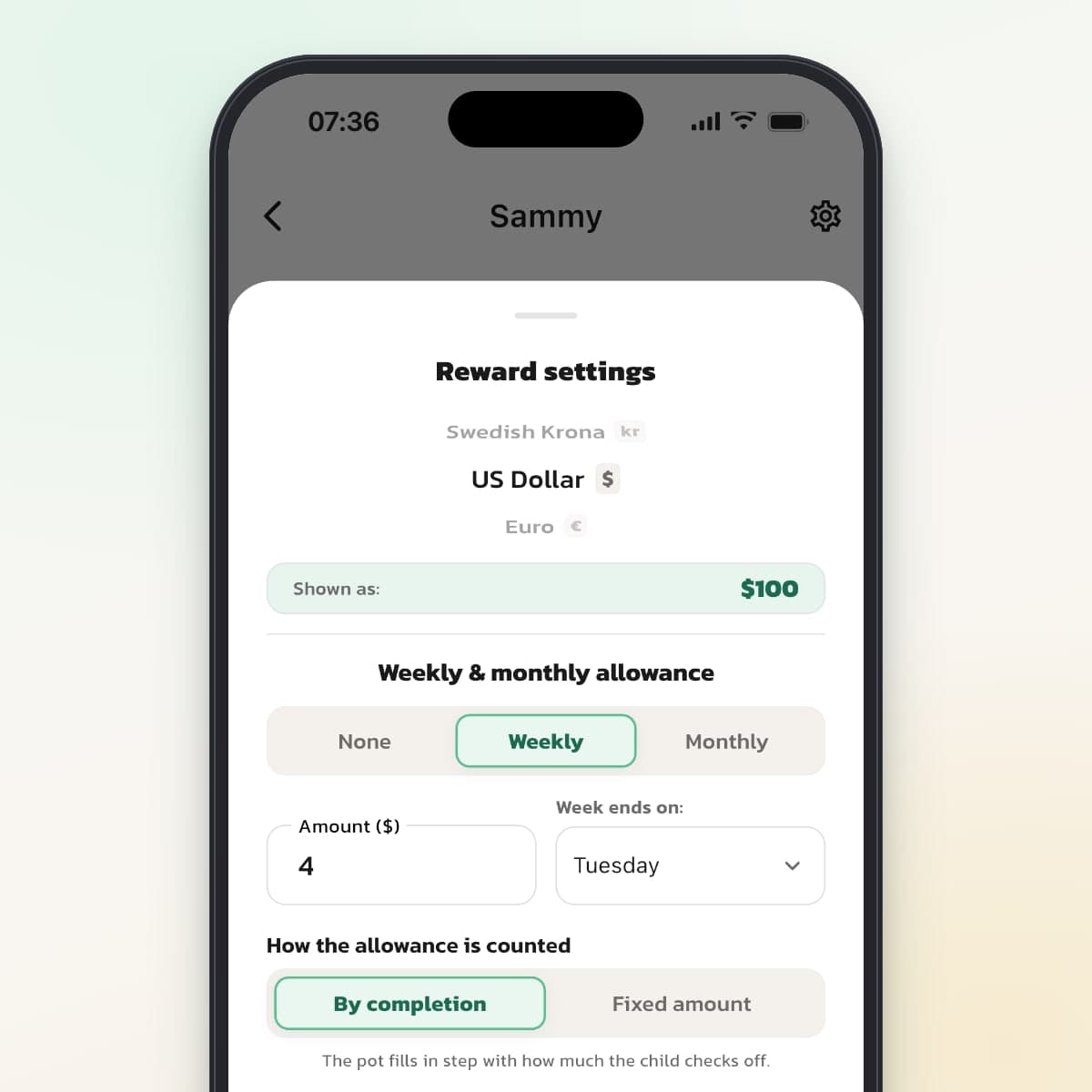
By completion or a fixed amount
Choose weekly or monthly, an amount and the day the week ends. With By completion, the pot fills up in step with how much your child checks off, across all steps or only the ones you choose. With Fixed amount, your child gets the full amount every period.
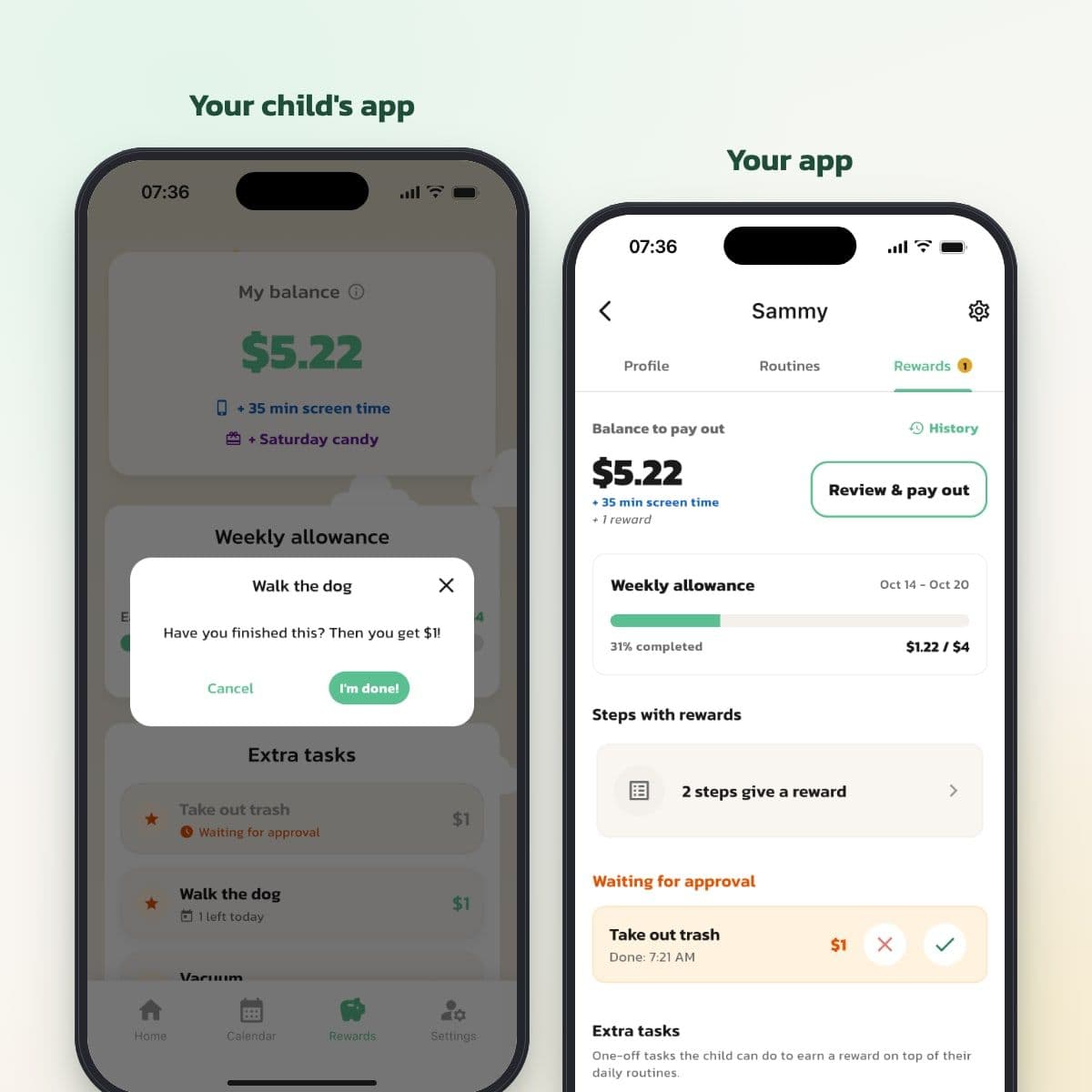
Extra tasks that you approve
Create tasks outside the routines, like taking out the trash, with a reward and a limit: once, per day, per week or no limit. Your child taps I'm done! and you approve or decline with one tap.
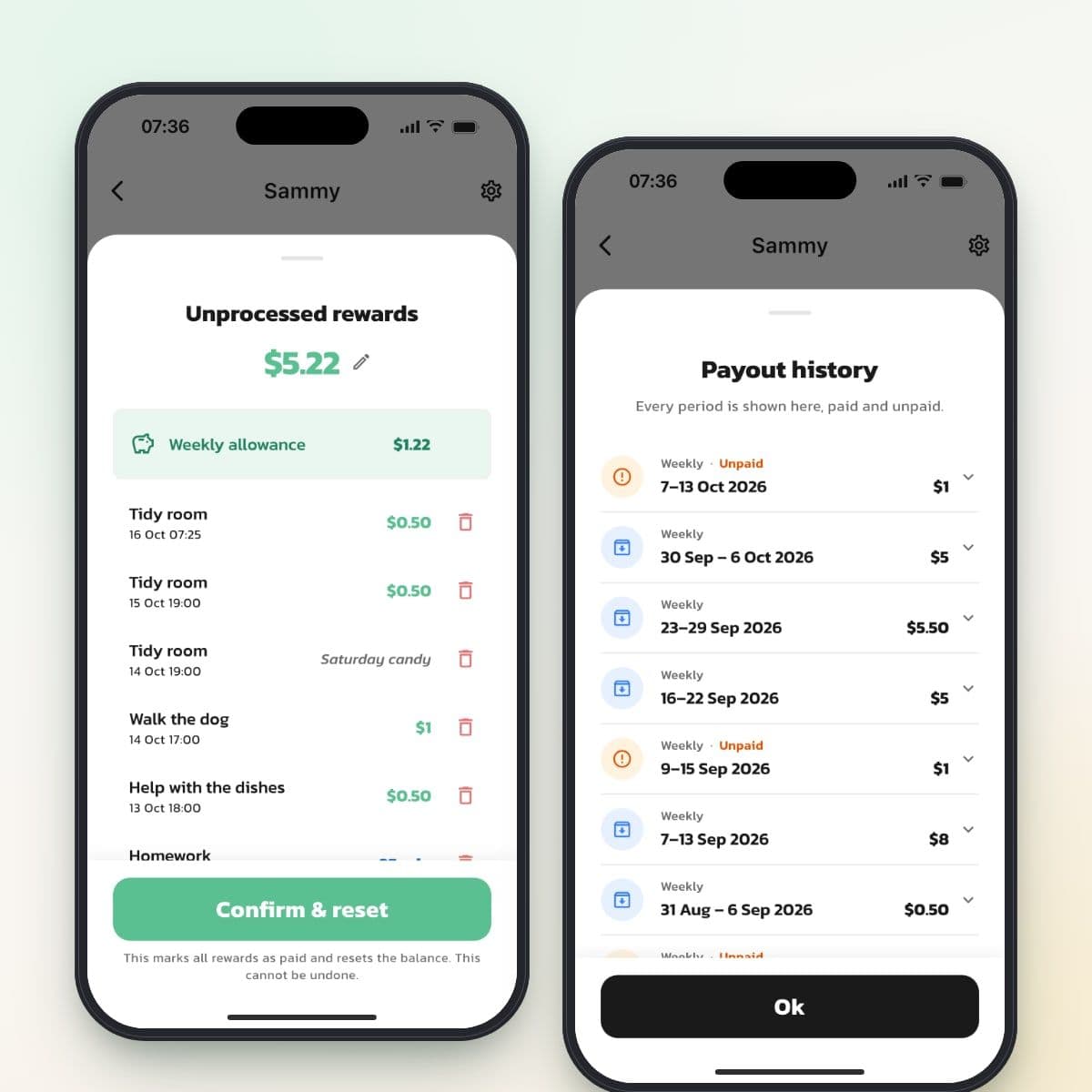
Pay out when you decide
Review & pay out shows everything earned: the weekly allowance, step rewards and extra tasks. Adjust the total with a bonus or a deduction, and tap Confirm & reset once your child has received their money. History shows every period.
Different kinds of rewards
- Amount: money in your child's currency, for example $0.50 for tidying their room.
- Points or stars: choose Points / Stars as the currency, and rewards are counted in stars instead of dollars.
- Screen time: minutes that add up, for example 30 minutes for homework.
- Other reward: something you decide, like a movie night or getting to choose dinner.
Weekly or monthly allowance
Tap the gear on your child's Rewards tab. Choose None, Weekly or Monthly, the amount and the day the week ends. Then pick an option under How the allowance is counted.
By completion
The pot fills up in step with how many of the steps your child checks off during the period. With All steps, every step counts. With Selected steps, only the steps where you've turned on Counts towards reward count. Your child sees how much has been earned, for example $1.22 of $4.
Fixed amount
Your child gets the full amount every period, no matter what got done. It suits families who want to keep the allowance separate from everyday chores and let extra tasks be what earns something extra.
Approval
A step reward with Requires approval lands under Waiting for approval on your side, and your child only sees it once you've approved it. Extra tasks always require approval. You get a notification when your child says a task is done, if you've turned on notifications for checked-off steps.
Payout
- The balance is everything that's approved and not yet paid out, plus the allowance for the current period.
- Review & pay out shows every line. You can remove a line or change the total, and a Bonus or Deduction line is created.
- Confirm & reset marks everything as paid out and starts again from zero. You give your child the money the way you usually do, in cash or by bank transfer.
- History shows every period. A period that wasn't paid out is listed as Unpaid and can be marked as paid afterwards.
Who sees what
- Your child sees their balance, the allowance and the extra tasks, but not the history.
- Both parents see the same rewards and can approve and pay out.
- A temporary helper doesn't see your child's rewards.
- Your own routines don't have rewards.
Limitations to know about
- The app doesn't move any money. The payout is just a record, and you hand over the money yourselves.
- Screen time is a counter. The app doesn't control screen time on your child's phone or tablet.
- Each child has one currency, so money and stars can't be mixed for the same child.
- A step gives a reward once per day.
- Approve what's waiting before you pay out. Rewards that haven't been approved disappear at payout.
- An allowance from an earlier period that wasn't paid out isn't added to the balance. It shows up as Unpaid in the history.
Frequently Asked Questions
Ready to simplify everyday life?
Download Routined today and start the journey towards a calmer everyday life with your family.


* 14-day free trial, then $2.39 a month or $20.99 a year (US pricing). Cancel anytime.