Time that the child actually understands
A circular green ring that shrinks with time, a large digital countdown below, and a button in the middle to start or pause.
Time is abstract for children — and even more so with NPF. When it becomes visible, it also becomes manageable.
How the timer works
Built into every routine step where you need it. No separate app, no extra setup.
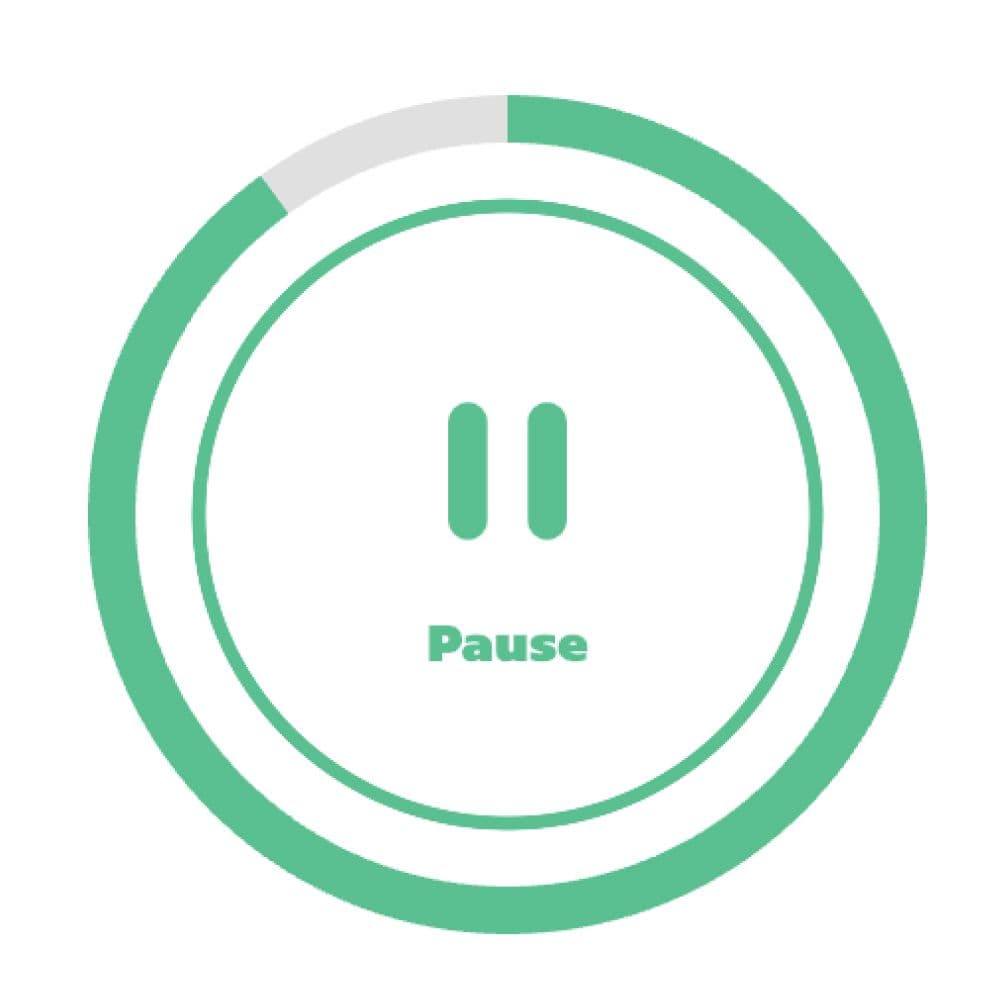
Green ring + digital time
The ring shrinks with time. Below the ring, the time is displayed digitally in large numbers (mm:ss) — the child sees both the visual and the exact time simultaneously.
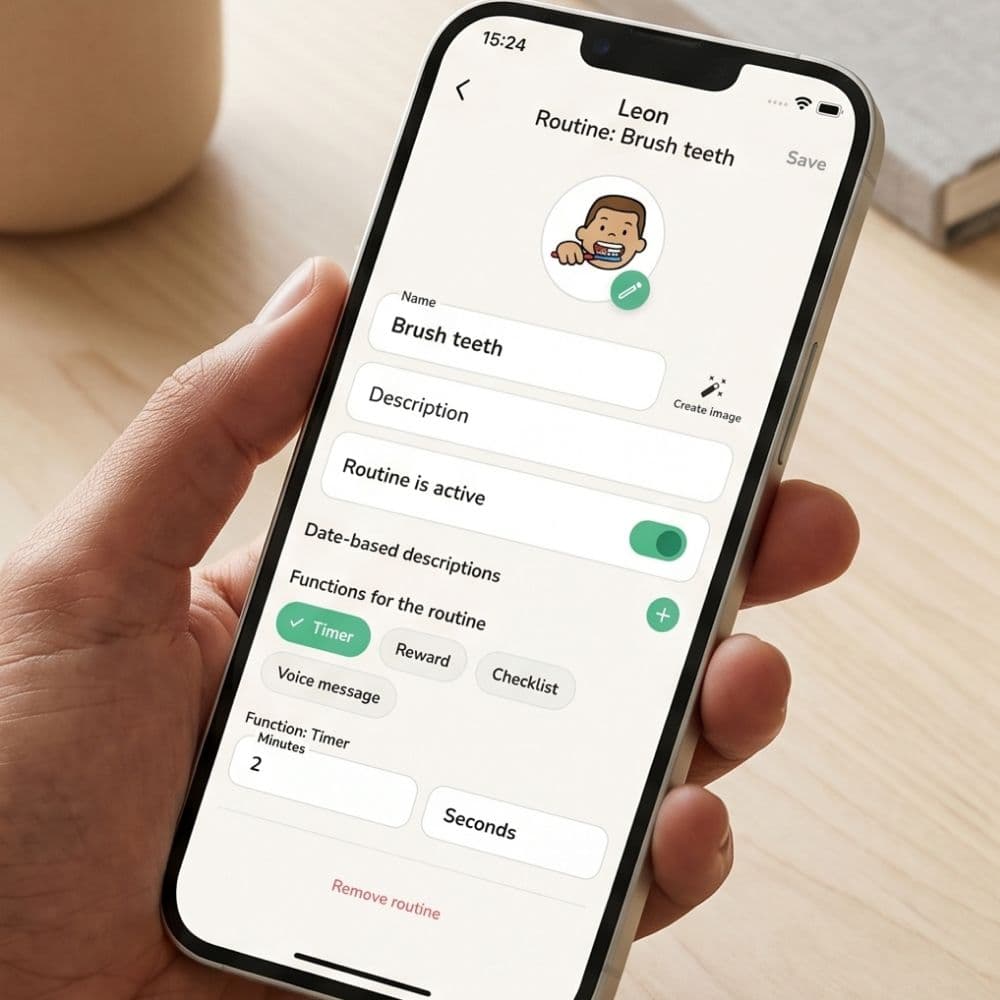
Individual time for each activity
Set minutes and seconds per step — e.g., 2 minutes for brushing teeth, 10 minutes for breakfast. You choose which steps should have a timer; not all need one.
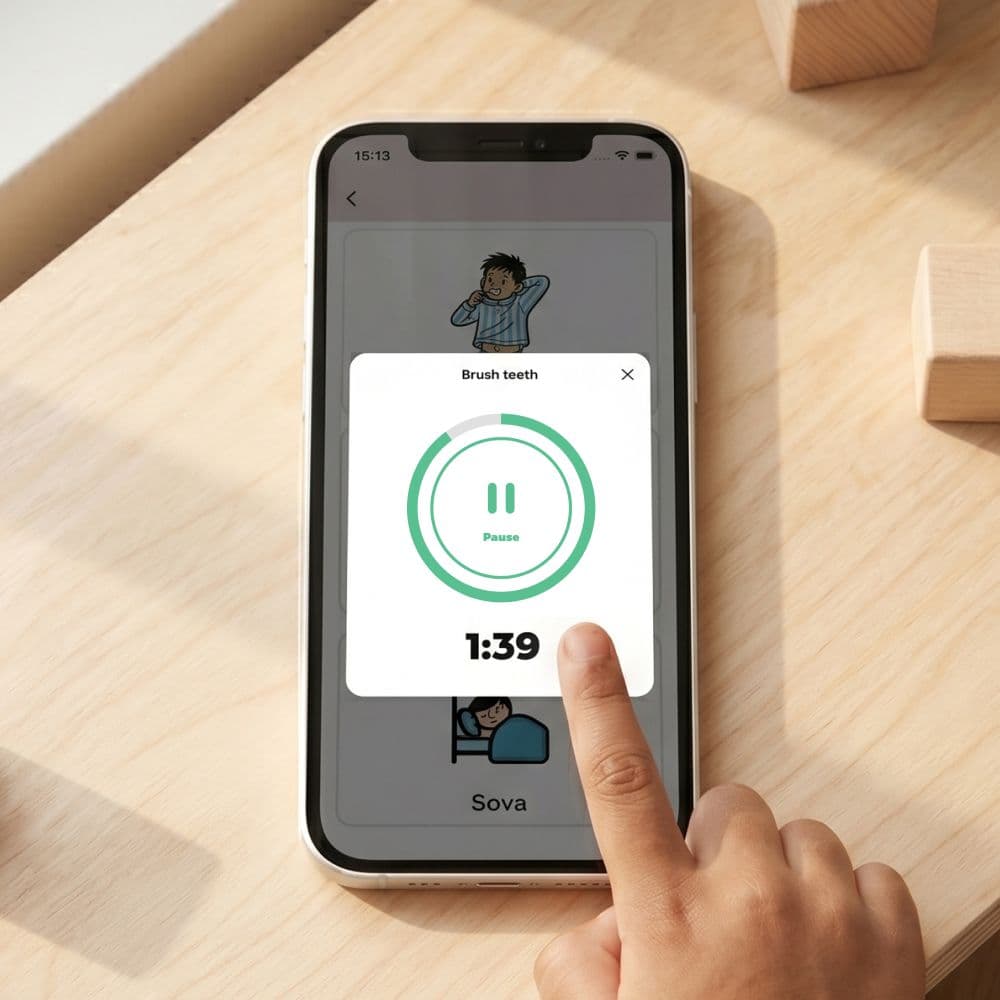
Start and pause easily
The child presses the button in the middle of the ring to start. Presses again to pause. When the child resumes, the timer continues from where it was — nothing is lost.
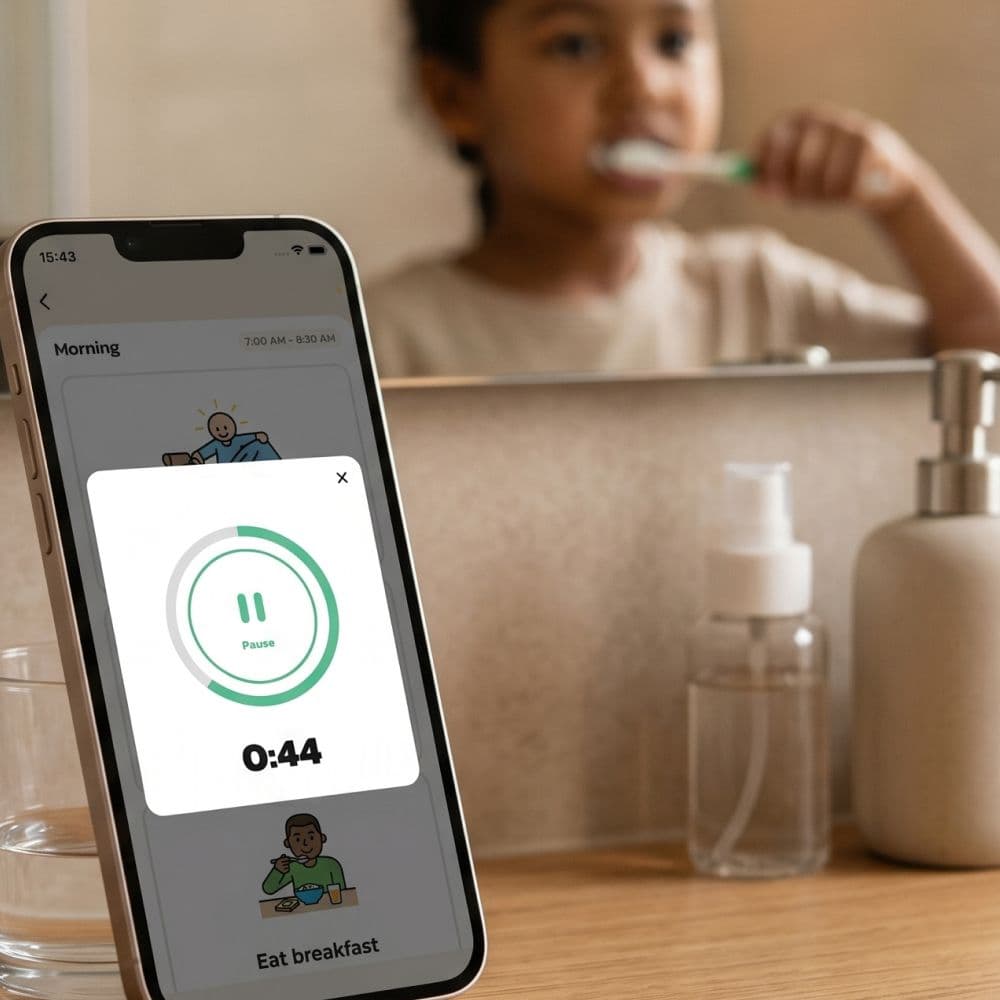
Doesn't turn off in the middle
When the timer is active, the app keeps the screen on. The child can follow the countdown without having to touch the device — and without the screen suddenly turning off in the middle of brushing teeth.
Heard when time is up
A sound plays and the ring changes color when time is up. No notifications or disturbing alarms — just a signal in the app that the activity is complete.
Why time is so difficult for children with NPF
Time perception is a cognitive ability that develops well into the teenage years — and is even more delayed for children with ADHD or autism. When you say "we have five minutes left", the child only hears the words, not the duration of time. A visual timer transforms time from an adult requirement into something concrete that the child can relate to themselves.
What Routined's timer looks like concretely
The timer is displayed as a green circular ring that shrinks as time passes. In the middle of the ring is a large button where the child can start, pause, or resume the timer. Below the ring, the time is displayed digitally in large numbers (for example, 1:39) — so the child sees both the shrinking ring and the exact time simultaneously. When time is up, the ring changes color and a sound plays.
Two sizes — large circle or compact row
Large circle
The standard variant — fills the screen and is optimal when the timer is the focus of the activity (brushing teeth, waiting for the microwave, calm-down break). Maximizes the visibility of the countdown.
Compact row
A horizontal mini-version with a button and a linear progress bar. Good when the timer is a complement to other content on the screen, e.g., a checklist where several activities are happening in parallel.
How to make the timer work in practice
Set reasonable times
The first time you build a routine: time the child for a few days and then set times with a margin. It's better for the time to be sufficient than to run out too early — then the timer becomes a punishment instead of a tool.
Explain the timer to the child first
Before activating the timer, show it to the child and talk about what happens. "You have five minutes to get dressed. This green ring shrinks. When it's gone, time is up. Then we move on." Concretization before use.
Be selective
Some routines don't need times. Brushing teeth, packing a bag — yes. Breakfast — often not (food should be eaten at one's own pace). Homework — maybe, depending on the child. Be selective so that the timer retains its value and doesn't become background noise.
Timer for ADHD
For children with ADHD, the timer is one of the most valuable tools. Time blindness — the inability to estimate how long a task actually takes — is a core difficulty. When time is visualized, the child begins to be able to calibrate their own perception of time over weeks and months.
Timer for autism
For autism, the timer is equally valuable, but for a different reason: predictability. When the child knows exactly how long an activity will last (not just "soon" or "shortly"), much of the anxiety surrounding unclear transitions disappears.
Common mistakes
- Too short time → child stresses and becomes negative towards the tool. Adjust upwards.
- End sound sensitive for some children → if the child reacts strongly to the sound, lower the device volume before the timer starts.
- Timer on all steps → overloads. Save the timer for activities where time actually matters.
Frequently Asked Questions
Ready to simplify everyday life?
Download Routined today and start the journey towards a calmer everyday life with your family.


* 14-day free trial included for new users.