Your voice guides your child
Record a short instruction for a step. When your child opens the step, they hear your voice, in the morning, during the evening routine or when someone else is home.
A familiar voice makes the steps easier to follow, especially for children who can't read yet.
How voice messages work
A simple feature that helps younger children, children with reading difficulties and families where several adults are part of everyday life.
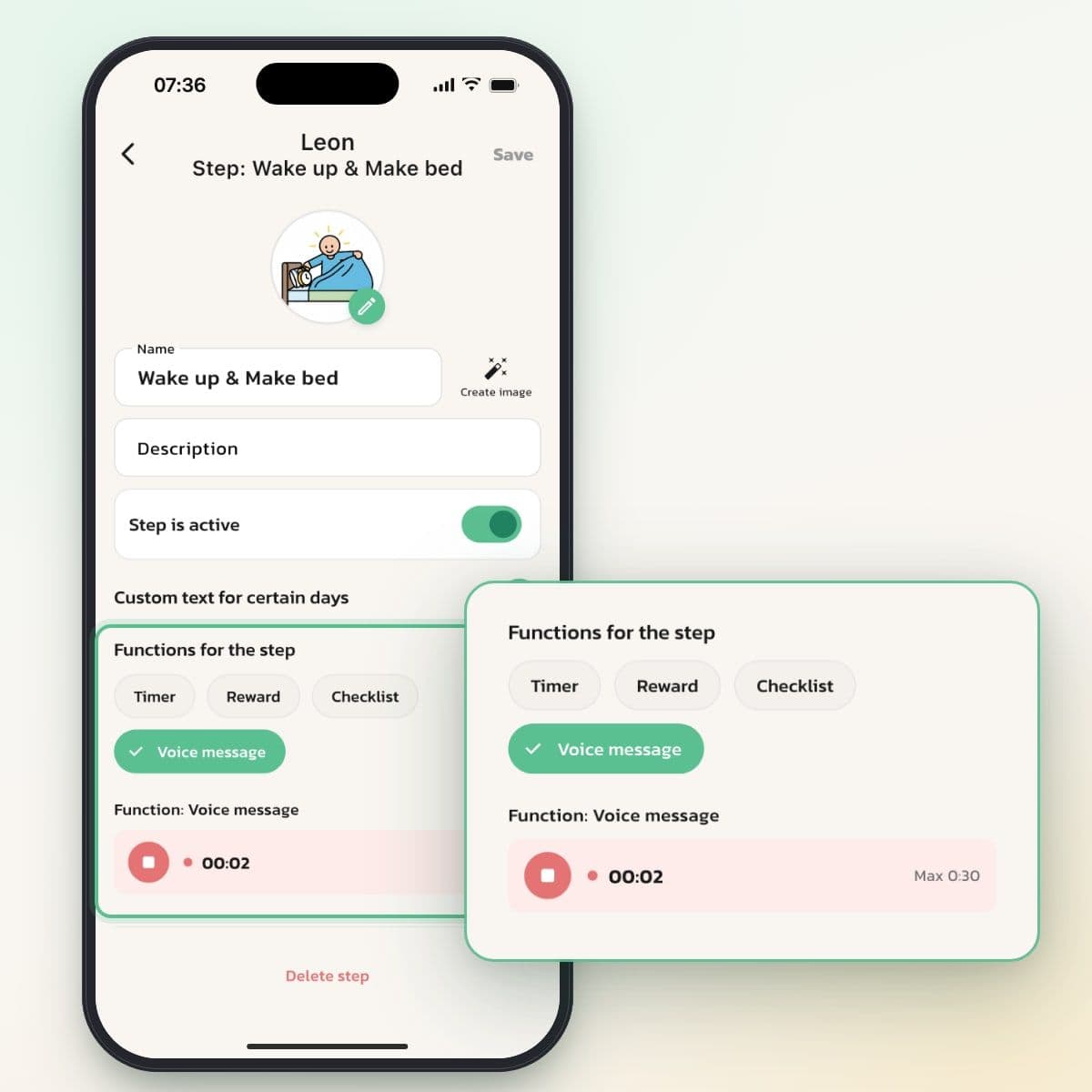
A short instruction per step
Choose Voice message under Functions for the step and tap Record. You can talk for up to 30 seconds, then the recording stops on its own. Tap Save, and the voice belongs to the step.
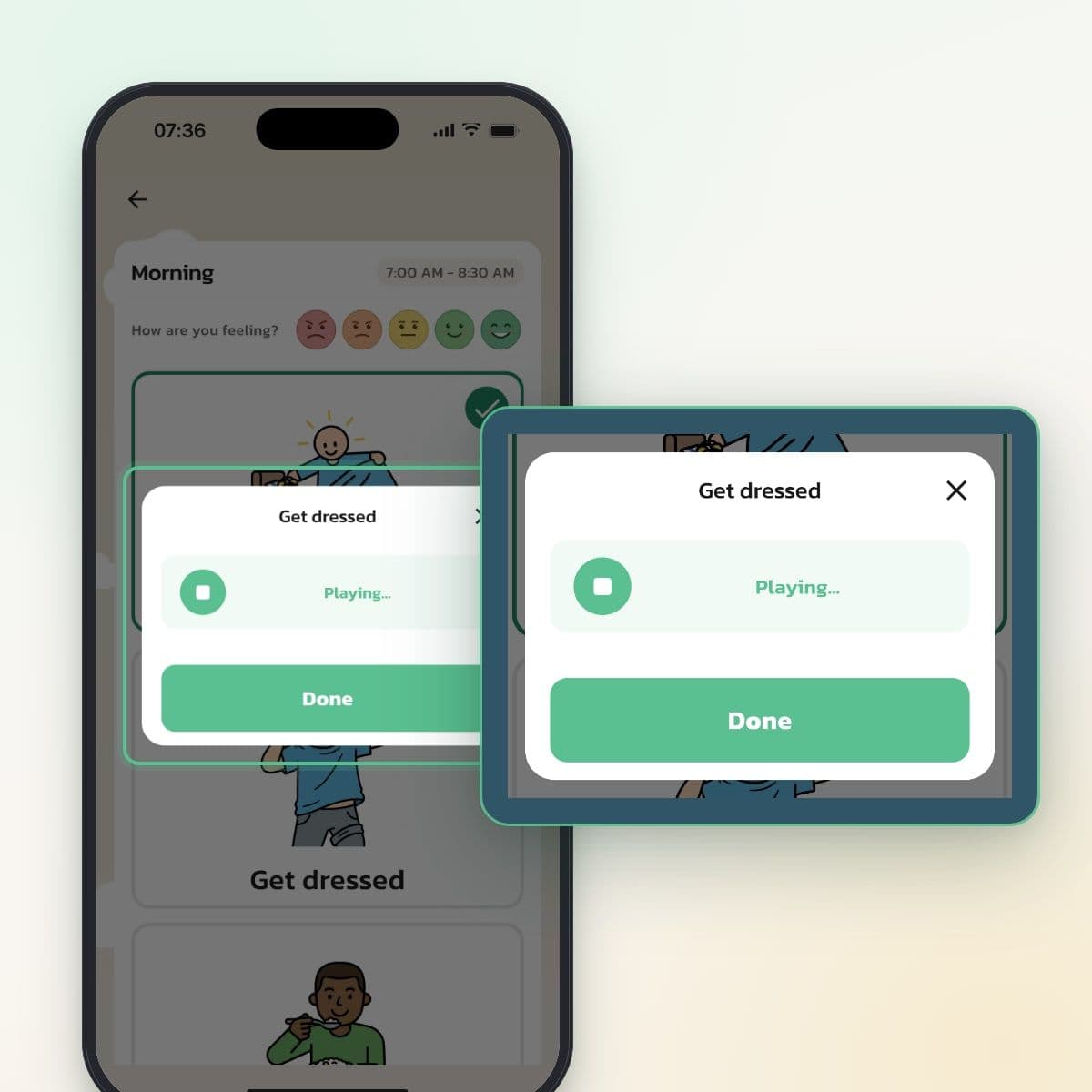
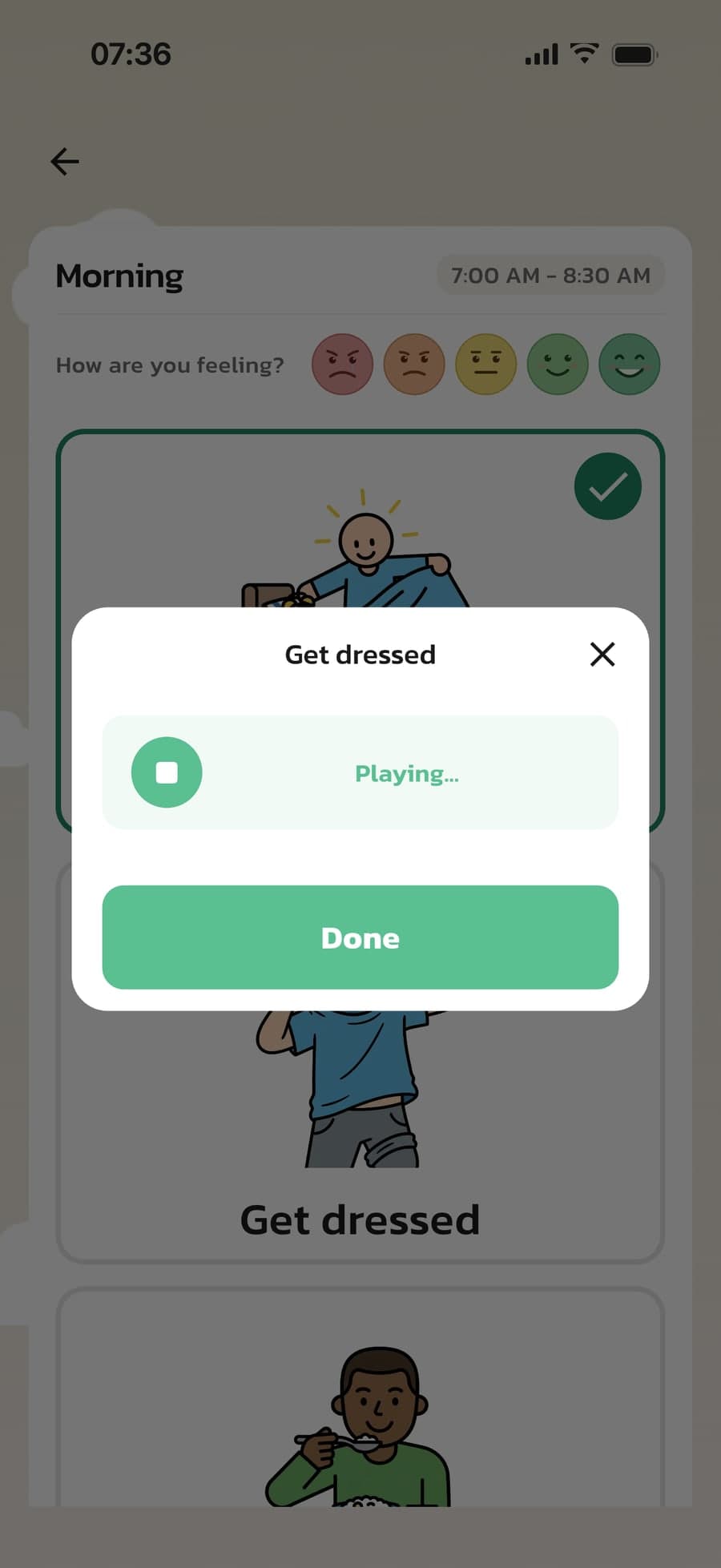
The voice starts when the step opens
When your child taps the step, the voice plays right away. Your child can stop it and listen again with one tap, and checks off the step with Done when it's finished.
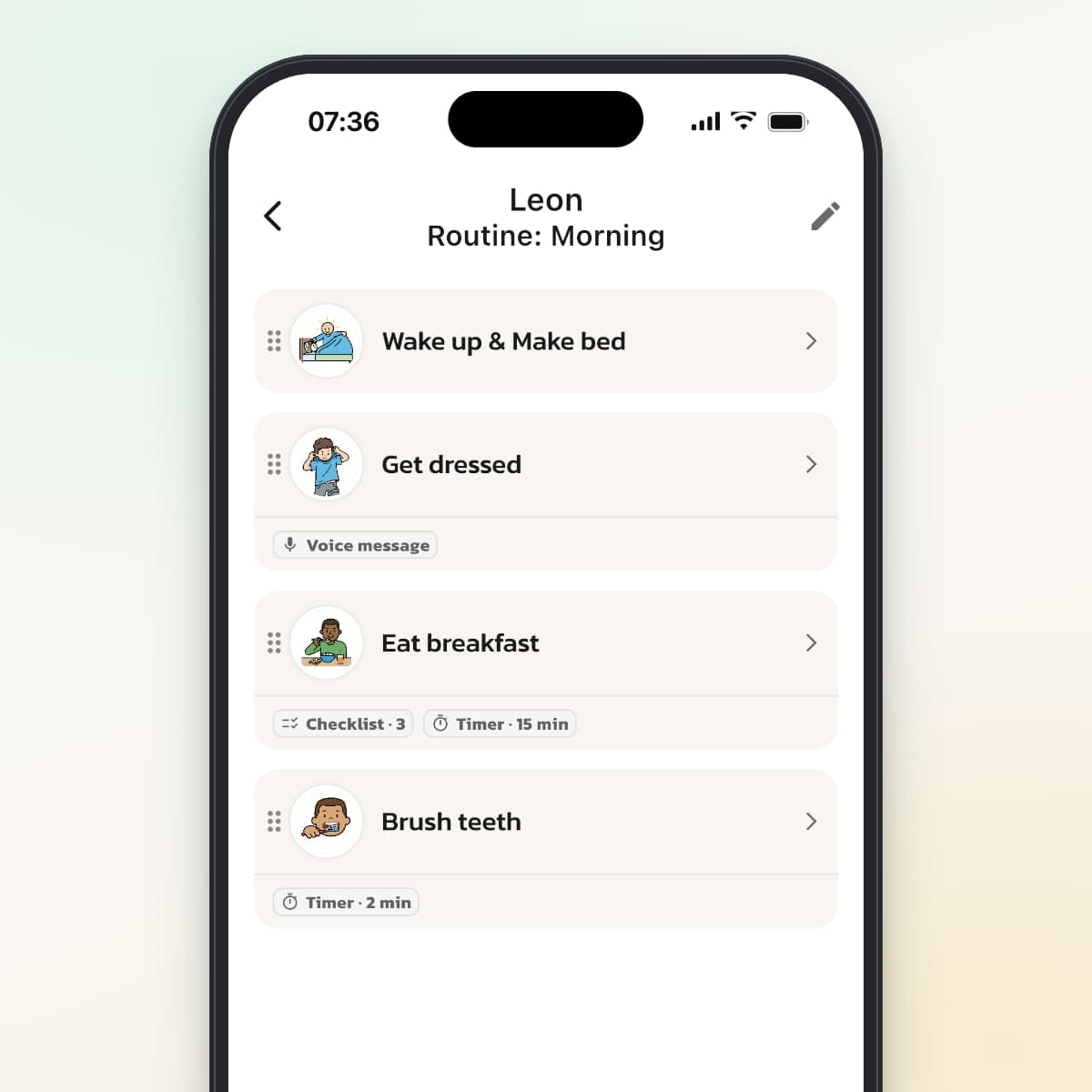
See which steps have a voice
In the routine's step list, steps with a recording have the Voice message label, next to timer and checklist. With Reuse steps, the voice comes along when you copy the step.
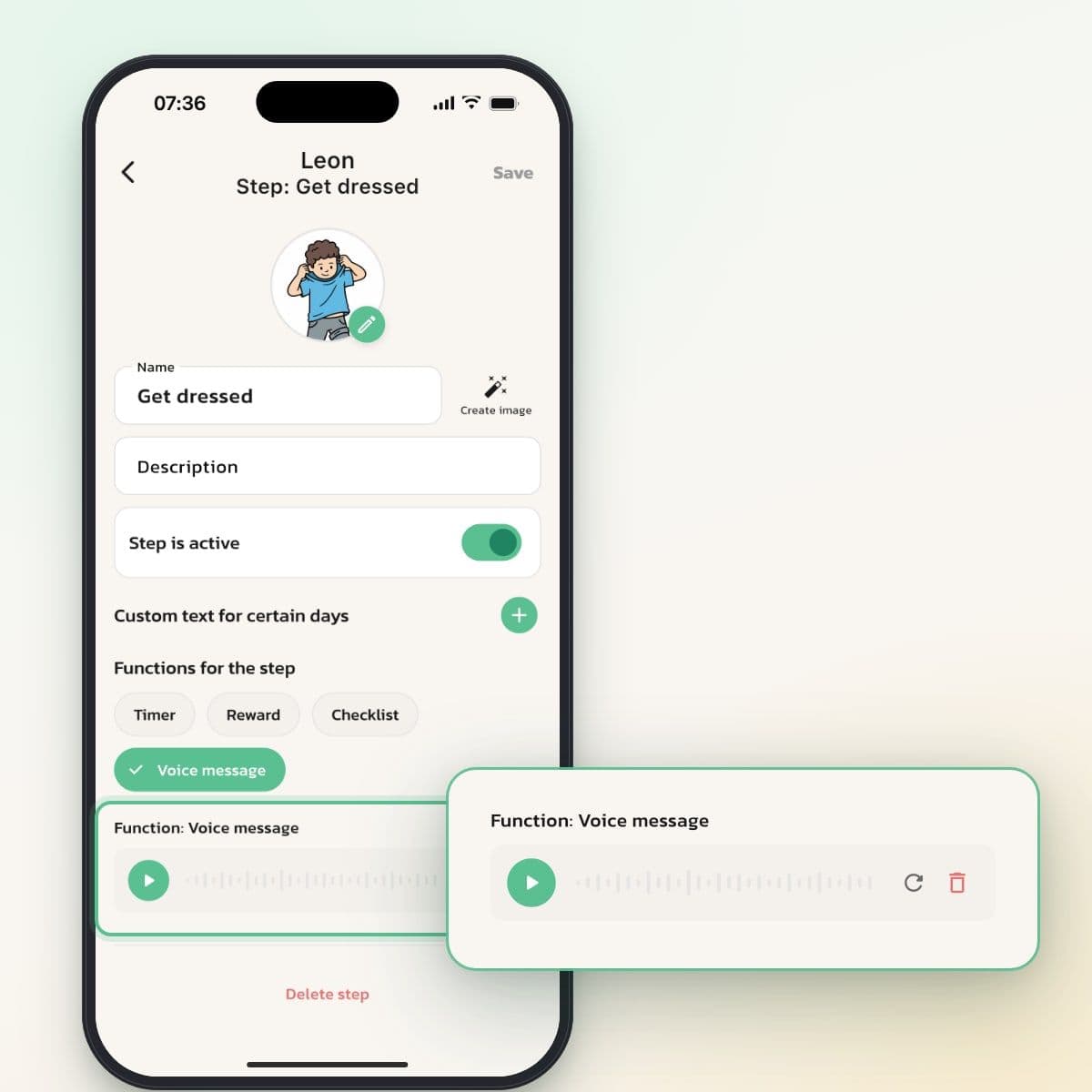
Record again as your child grows
Listen to the recording in the step's settings, record a new one or delete it. A new recording replaces the old one.
Why a familiar voice makes a difference
For many children, especially younger ones and autistic children, a familiar voice is a reassuring signal. When Mom says "time to brush your teeth," it's not just the words that get through, but also the tone and the feeling of recognition.
When you're not there, because you're working or traveling or because your child is with someone else, your voice is still part of the routine.
When voice messages are especially valuable
When you're working or traveling
The evening routine can follow your voice even when someone else is home, for example a temporary helper. Not as a replacement, but as support so the routine feels familiar.
For children who can't read yet
Your voice removes the need for text. Together with visual supports, a four-year-old can follow a routine without being able to read: the picture shows what, the voice explains how.
With reading and writing difficulties
With dyslexia, even short texts can get in the way. Your voice lets your child focus on the task instead of on reading.
Tips for good recordings
- Keep it short: 5–15 seconds is usually enough. The longest recording is 30 seconds.
- Record somewhere quiet. Background noise can bother children who are sensitive to sound.
- Use a friendly tone: "now we're going to" rather than "you have to."
- Record again now and then. Children grow, and an instruction for a four-year-old doesn't always suit a seven-year-old.
Good to know
- The voice plays automatically when the step opens, at the phone's volume. There's no separate sound setting, so turn down the volume if your child is sensitive to sound.
- A checked-off step doesn't play the voice again.
- Both you and your partner can record. A new recording replaces the previous one.
- The voice works in both display modes, in Act as, for temporary helpers and in your own routines under My routines.
- Your child can't record on their own. Recording is done in the step's settings.
Where recordings are stored
The recording is saved together with your family's routines and plays on the devices that follow the routine: your child's, yours and a temporary helper's.
See how it works in the app
Frequently asked questions
Ready to simplify everyday life?
Download Routined today and start the journey towards a calmer everyday life with your family.


* 14-day free trial, then $2.39 a month or $20.99 a year (US pricing). Cancel anytime.